As an Amazon Associate, I earn from qualifying purchases at no extra cost to you.
6 Best Wireless Router for Large Home (Buying Guide) 2026
 ByZayyan

Your living room looks great, but your internet is struggling in the basement. Thick walls and long hallways are the enemies of a fast connection. Most people deal with buffering in the bedroom while the router sits lonely in the office. In this article I will show you the top 6 best wireless router for large home setups to fix those dead zones forever.



Top 6 Best Wireless Router for Large Home You Can Buy Now
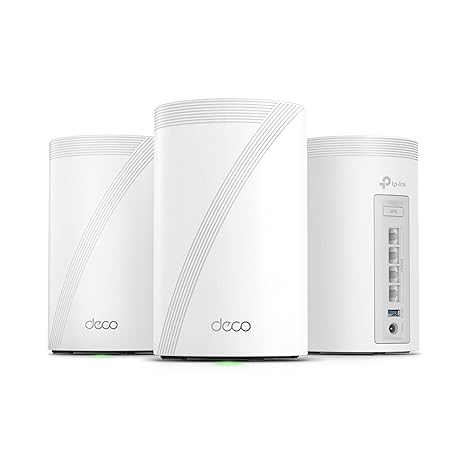
TP-Link Deco 7 Pro BE63 – Best for Future Proofing Your Speed
You might think Wi-Fi 7 is overkill, but it really changes how your devices talk to each other. This mesh system uses the latest tech to handle massive speeds across your entire floor plan. It works by opening up wider lanes for data so your phones and laptops do not get stuck behind each other.
Setting this up is surprisingly simple because the app does all the heavy lifting for you. You just plug in the units and follow the prompts on your screen. It handles dozens of smart home gadgets without breaking a sweat. You will notice that 4K streaming starts instantly even if someone else is gaming in the next room.
The design is clean and looks like a small piece of decor rather than a piece of tech equipment. You can place these units on bookshelves or side tables without them looking messy. The back has multiple ports that support very fast wired connections if you want to plug in a gaming console directly.
One thing to keep in mind is that you need a very fast internet plan to see the full benefit. If your service provider only gives you basic speeds, this power might go to waste. However, it is a great investment if you want a network that stays relevant for many years.
- Supports the lightning fast Wi-Fi 7 standard.
- Easy app based setup and management.
- Multiple high speed ethernet ports on every unit.
- Covers huge areas with a stable mesh signal.
ASUS ET9 2PK ZenWiFi – Best for Advanced User Control
Asus built this system for people who want to tweak their settings and get every bit of performance. It uses the 6GHz band which acts like a private highway for your newest gadgets. This keeps your main traffic away from the crowded airwaves used by older appliances and neighbors.
The coverage is impressive and reaches into those far corners where signals usually die. You get two units in the box that communicate with each other using a dedicated backhaul. This means the speed stays high even when you are connected to the second node far from the modem.
Security is a big focus here because you get lifetime protection for your connected devices. It blocks malicious websites and helps keep your private data safe without charging a monthly subscription fee. You can also set up strict schedules for your kids so they stay off the web at bedtime.
While the hardware is top notch, the interface can feel a bit crowded with options. You might find yourself clicking through many menus if you just want to change a simple setting. Still, the reliability makes it a winner for anyone who hates rebooting their router every week.
- Dedicated 6GHz band for less interference.
- Free lifetime network security and parental controls.
- Excellent range for multi story houses.
- Great wired options for desktop computers.
NETGEAR Orbi 870 Series – Best for Massive Device Density
If your house is full of smart lights, cameras, and tablets, the Orbi 870 is a beast. It is designed to juggle hundreds of connections at once without slowing down. The tri-band technology ensures that the units can talk to each other while still providing full speed to your gear.
The vertical design helps the internal antennas send the signal out in a wide circle. You will find that the signal penetrates through heavy furniture and walls much better than cheaper models. It is a premium choice for families who are all online at the exact same time.
Installation is smooth and the software helps you find the perfect spot for each satellite. If you have a long ranch style home, you can space them out to get a perfect signal in every room. It handles high bandwidth tasks like virtual reality or large file downloads with ease.
The main hurdle is the price tag because Netgear positions this as a high end luxury item. You are paying for the stability and the brand name reliability. Also, some advanced software features require an extra yearly payment after the initial trial ends.
- Handles up to 200 devices simultaneously.
- Tri-band technology prevents network congestion.
- Very strong signal penetration through walls.
- Sleek vertical towers with high gain antennas.
Linksys Velop Pro 6E – Best for Balanced Simplicity
Linksys focused on making a system that just works without requiring a tech degree to operate. The Velop Pro 6E uses cognitive mesh technology to figure out the best path for your data. It constantly scans the area to avoid interference from other electronics in your neighborhood.
The nodes are small and white, so they blend into any room easily. You get access to the 6E band which is great for new iPhones or laptops that support the latest wireless standards. It provides a very low latency experience which is perfect for video calls that never lag.
You will appreciate how the system grows with you because you can always add another node later. If you finish a basement or build an addition, just plug in one more unit to extend the reach. It stays stable even when your kids are roaming from one side of the house to the other.
The range on a single unit is good but not the best in this specific group. You might need to be careful with placement to ensure the nodes stay connected to each other. For a standard large home, a two or three pack usually covers everything perfectly.
- Automatic interference detection and avoidance.
- Compact and attractive hardware design.
- Easy to expand by adding more nodes.
- Reliable 6GHz performance for modern devices.
Google Nest WiFi Pro – Best for Smart Home Integration
Google made this router specifically for people who live in the Google ecosystem. It is very colorful and glossy, looking more like a smooth stone than a piece of networking gear. It fits right into the Home app so you can manage your internet alongside your lights and thermostat.
The 6E support means you get access to the cleanest airwaves available right now. It does a great job of prioritizing traffic so your work calls stay clear while the TV is streaming. You can even check your speeds with a simple voice command if you have a smart speaker nearby.
The software is very restricted, which is actually a plus for people who want zero stress. You do not have to worry about complicated firewall rules or channel widths. Google handles the updates in the background to keep your network fast and secure without you lifting a finger.
Power users might feel frustrated by the lack of deep settings and custom options. There are no USB ports for sharing printers or external hard drives across the network. It is a tool for the person who wants to set it up once and forget it exists.
- Integrated perfectly with the Google Home app.
- Beautiful design that comes in different colors.
- Proactive software updates for better security.
- Self healing network features for high reliability.
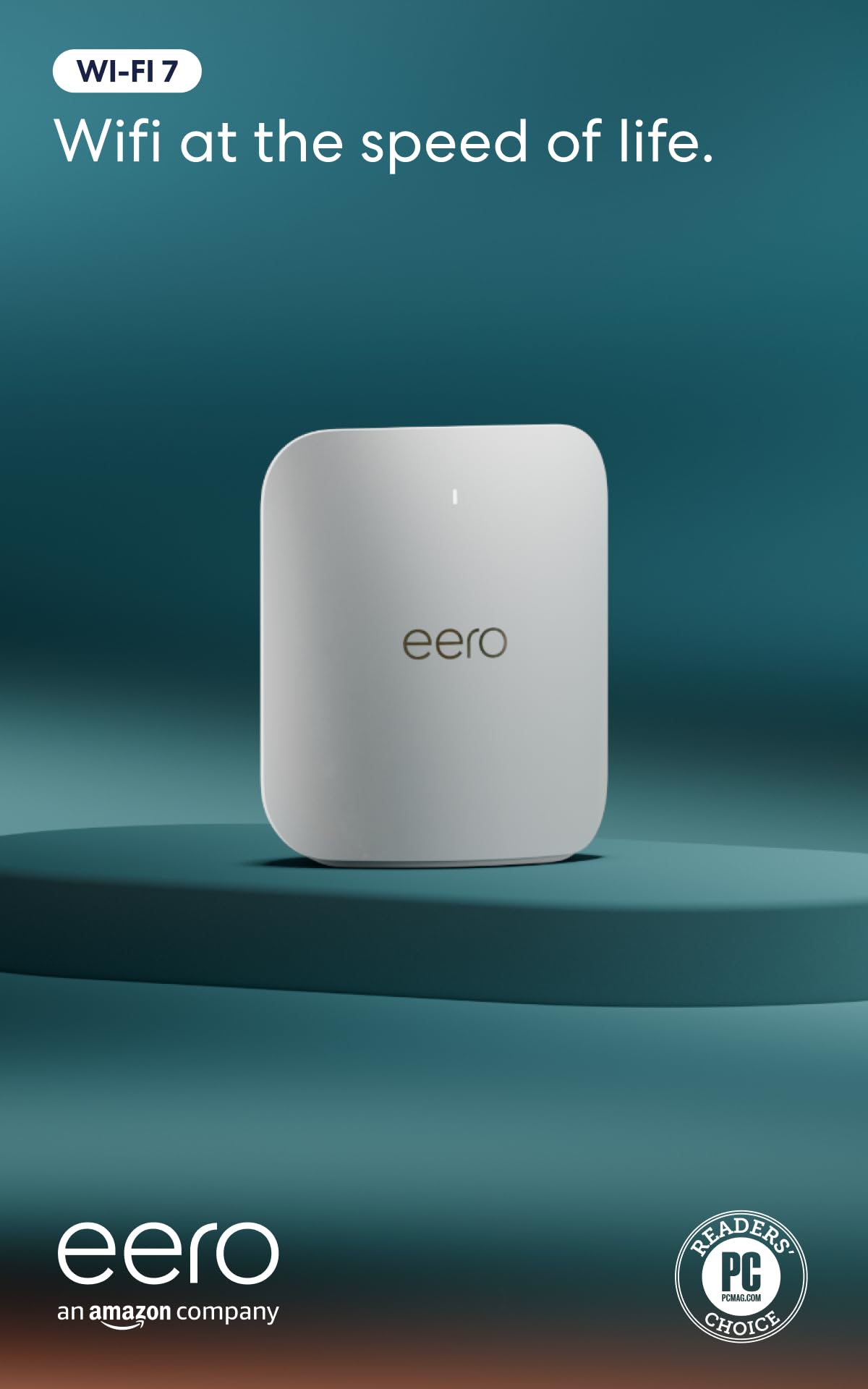
Amazon eero Pro 7 – Best for Zero Hassle Performance
Amazon took everything people loved about the original eero and turned the power way up. The Pro 7 is their first Wi-Fi 7 model, and it is incredibly fast for such a small box. It uses a custom algorithm to make sure your data takes the fastest route possible through your home.
This model is great if you have a lot of Echo devices or Ring cameras. It acts as a hub for your smart home, helping all those little sensors stay connected without extra bridges. The app is very polished and gives you a clear view of every device on your network.
You can set up profiles for everyone in the house to manage their screen time. If it is dinner time, you can pause the internet for the kids with a single tap on your phone. It is very fast at handing off your connection as you walk from the kitchen to the garage.
One thing to watch is that many of the best security and history features are behind a subscription. You get the basic functionality for free, but the deep insights cost a monthly fee. Despite that, the raw speed and ease of use are hard to beat for a busy family.
- First eero model to support Wi-Fi 7.
- Built in smart home hub for Zigbee and Thread.
- Extremely polished and easy to use mobile app.
- Fastest roaming performance in the mesh category.
I hope this list helps you finally kill those annoying dead spots in your hallways. Finding the top 6 best wireless router for large home options is about matching your house size to the right technology. Do not overthink the technical specs too much. Pick the one that fits your budget and the number of gadgets you own. Your fast and frustration free internet is just one upgrade away.
| Product Name | Wi-Fi Standard | Bands | Best For |
| TP-Link Deco 7 Pro | Wi-Fi 7 | Tri-Band | Future Proofing |
| ASUS ET9 ZenWiFi | Wi-Fi 6E | Tri-Band | Custom Control |
| NETGEAR Orbi 870 | Wi-Fi 6 | Tri-Band | Many Devices |
| Linksys Velop Pro 6E | Wi-Fi 6E | Tri-Band | Simple Setup |
| Google Nest WiFi Pro | Wi-Fi 6E | Tri-Band | Google Users |
| Amazon eero Pro 7 | Wi-Fi 7 | Tri-Band | Smart Homes |
Things to consider before buying wireless router for large home: The Ultimate Guide
You are sitting on your sofa trying to watch a movie, but the loading circle just keeps spinning. Your house is beautiful and spacious, but your internet signal seems to die the moment you walk around a corner. It is a common frustration when a standard router cannot push a signal through thick walls or across multiple floors.
Finding the right hardware means looking at your floor plan like a map of obstacles. You need a system that treats your attic and your basement with the same priority as your home office. There are specific things to consider before buying wireless router for large home setups that will change how you live and work every day.
The Total Square Footage and Floor Plan
Your house size is the most important factor when you start shopping for a new network. A small apartment can get away with a single unit, but a sprawling ranch or a three story house needs more help. You should measure your space or look at your blueprints to see how far the signal actually needs to travel from the center.
Think about the materials used to build your walls because they act like shields against your Wi-Fi. Brick, stone, and heavy plaster are much harder for a signal to penetrate than thin drywall. If you have a lot of mirrors or metal appliances, those can also bounce the signal away from the rooms where you need it most.
If your home is over 2,500 square feet, you should almost always look at a mesh system instead of a single router. These systems use multiple nodes to create a blanket of coverage that stays strong as you move around. It prevents those annoying drops that happen when you walk from the kitchen to the far bedroom upstairs.
- Measure your total square footage accurately.
- Identify thick wall materials like brick or concrete.
- Account for outdoor spaces like patios or garages.
- Decide between a single powerful unit or a mesh kit.
The Number of Connected Devices
Count every single gadget in your house that uses the internet, from your phone to your smart fridge. Most families are surprised to find they have thirty or forty devices fighting for a turn to talk to the router. Each tablet, smart bulb, and streaming stick takes up a little bit of the available airwaves and slows things down.
Modern routers are built to handle these crowds using technology that talks to multiple devices at the exact same time. You want a piece of hardware that can juggle your work video call while your kids are gaming in the basement. Older routers get overwhelmed easily, which leads to lag and random disconnections during the day.
If you have a lot of smart home gear, look for a router that has a dedicated band for those smaller tasks. This keeps the fast lanes open for high bandwidth activities like 4K streaming or downloading huge files for work. It makes the entire network feel much snappier and more responsive for everyone in the family.
- Total up every phone, laptop, and smart gadget.
- Look for routers with high device capacity ratings.
- Check for MU-MIMO technology to handle simultaneous traffic.
- Ensure the processor can manage heavy data loads.
Speed Tiers and Internet Service Plans
Your router can only be as fast as the service you pay for every month from your provider. If you have a gigabit plan but use an old router, you are essentially throwing away the money you spend on speed. You need a device that matches or exceeds the megabits per second coming into your house through the wall.
Check the ports on the back of the router to make sure they support high speed wired connections. Some cheaper models only have slower ports that cap your speed even if your wireless is technically faster. This is vital if you plan on plugging in a gaming console or a desktop computer for the best possible performance.
Keep in mind that wireless speeds naturally drop as you move further away from the broadcasting unit. Starting with a higher base speed ensures that the far corners of your home still get enough bandwidth to function. It provides a buffer so that your connection remains usable even when the signal is not at its absolute peak.
- Match router specs to your monthly internet plan.
- Verify that ethernet ports support gigabit speeds.
- Account for speed loss over long distances.
- Look for Wi-Fi 6 or Wi-Fi 7 for the best results.
Frequency Bands and Interference
Most routers today offer at least two bands, which are the 2.4GHz and 5GHz frequencies. The lower band travels further through walls but is much slower and often crowded by neighbors or microwaves. The higher band is very fast but has a shorter range, making it better for devices in the same room.
Tri-band routers add a third lane which acts like an express way for your most important data. This is especially helpful in a large home because it can use that third band to connect the mesh nodes together. It keeps the other two bands completely free for your phones, TVs, and laptops to use without any fighting.
Interference is a silent killer of good internet, especially if you live in a crowded neighborhood with many networks. You want a router that can automatically switch channels to find the quietest airwaves available at any given time. This self healing feature saves you from having to reboot your equipment when the neighbors get a new router.
- Use 2.4GHz for range and 5GHz for speed.
- Consider tri-band models to reduce network congestion.
- Look for automatic channel selection features.
- Minimize physical interference from large metal objects.
Security Features and Parental Controls
Keeping your family safe online is just as important as having a fast connection through the house. Many modern routers come with built in protection that blocks malicious websites before they even load on your screen. This adds a layer of safety for devices like smart cameras that do not have their own antivirus software.
Parental controls allow you to set schedules so the internet turns off automatically at bedtime for the kids. You can also filter out adult content or see which apps are using the most data in your household. It gives you peace of mind and helps manage how much time everyone spends staring at a screen.
Be aware that some brands require a monthly subscription to use these advanced security and management tools. You should check if the features you want are included for free or if they add a recurring cost. Always look for WPA3 encryption support to keep your private passwords and data away from hackers nearby.
- Check for built in antivirus and malware filtering.
- Review the ease of use for parental control settings.
- Verify if security features require a monthly subscription.
- Ensure the router supports the latest WPA3 encryption.
Ease of Use and App Management
The days of typing confusing addresses into a web browser to fix your internet are mostly over. Most new routers use a simple app on your phone that lets you manage everything with just a few taps. You can see who is online, run a speed test, or reboot the system from your backyard.
Look for a system that sends you alerts if a new device joins your network so you can spot intruders. A good app will also tell you if one of your mesh nodes is placed too far away from the main unit. This visual feedback makes it much easier to optimize your setup without needing to hire a professional.
Guest networks are a great feature for when friends come over and want to use your Wi-Fi. You can give them a separate password that does not give them access to your private files or smart home gear. It keeps your main network clean and secure while still being a helpful and welcoming host for your visitors.
- Prioritize routers with highly rated mobile apps.
- Look for easy guest network setup options.
- Check for real time alerts and device monitoring.
- Ensure the setup process is friendly for non-tech users.
I hope this helps you feel confident as you shop for your next home network upgrade. Taking the time to weigh these things to consider before buying wireless router for large home setups will save you from future headaches. You deserve a house where the internet just works perfectly in every single room.
| Action Item | Key Detail | Expert Tip |
| Measure Home | Calculate total square feet | Add 20% to account for walls |
| Check Walls | Note brick or concrete | Place nodes near open doorways |
| Count Devices | Include all smart home gear | Buy a router with MU-MIMO |
| Verify Speed | Check your ISP plan limits | Use Cat6 cables for wired nodes |
| Set Budget | Watch for hidden subscriptions | Lifetime security saves money later |
| Map Dead Zones | Find where signal drops now | Put the main unit in the center |
Frequently Asked Questions (FAQs)
Is it necessary to get a mesh system for a big house?
A single router often struggles to send a signal through multiple walls or floors. Mesh systems use several units to create a web of coverage that reaches every corner. If your house is over two thousand square feet, a mesh setup is usually the best way to get a solid connection.
Can I mix different brands of mesh routers together?
Usually, you cannot mix brands because each company uses its own special software to talk between units. It is much better to stick with one brand so the nodes can coordinate properly. If you buy a Linksys system, you should only add other Linksys Velop nodes to keep it stable.
Do I need a Wi-Fi 7 router right now?
Wi-Fi 7 is the newest tech and it is very fast, but most older phones cannot use its full power yet. However, it is a great choice if you want your network to last for the next five or ten years. It also helps the router units talk to each other much faster.
Is it hard to set up these modern mesh systems?
Most new routers use a smartphone app that walks you through every single step with pictures. You usually just plug it into your modem and scan a code on the bottom of the device. It takes about ten minutes to get the whole house online without any special technical skills.
Can thick walls block my wireless signal?
Materials like brick, concrete, and plaster are very good at stopping a wireless signal from passing through. If your home has these types of walls, you might need more mesh units than a standard house. Placing the units in hallways or near open doorways helps the signal travel much further.
Do I have to pay a monthly fee for my router?
Most routers work perfectly fine for free once you buy the hardware itself. Some brands like Eero or Netgear offer extra security features or parental controls for a small monthly fee. You do not have to pay these if you just want basic fast internet for your whole family.
Is it better to plug my computer into the mesh unit?
Yes, using an ethernet cable to plug your PC or console into a mesh node is a great idea. It provides a more stable connection than wireless and can reduce lag while you are gaming. Most of the units on this list have at least two ports on the back.
Can I use these routers with any internet provider?
These routers work with almost every major internet company like Xfinity, Spectrum, or AT&T. You just plug the main unit into the modem provided by your service company. It takes over the wireless duties and usually provides much better speed and range than the free equipment they give you.
Do I need to reboot my mesh system often?
Modern systems are designed to be very smart and can often fix their own problems in the background. You should not have to unplug them very often at all. If the internet feels slow, the app usually has a button to run a quick test and optimize the signal for you.
Is it safe to have many mesh units in my home?
These devices follow strict safety rules regarding the signals they send out into your rooms. They use very low power levels that are safe for everyone in your family. Having more units actually means each one can work a bit less hard to provide a great signal everywhere.