As an Amazon Associate, I earn from qualifying purchases at no extra cost to you.
How to Silence Microwave (for a Quieter Kitchen)
 ByZayyan

There is nothing worse than grabbing a midnight snack only for your microwave to beep like a fire alarm. It wakes the kids, it startles the dog, and it ruins the peace of your own home. You do not have to live with that noise anymore. I have spent years testing appliances, and I promise you there is a way to turn it down or off.
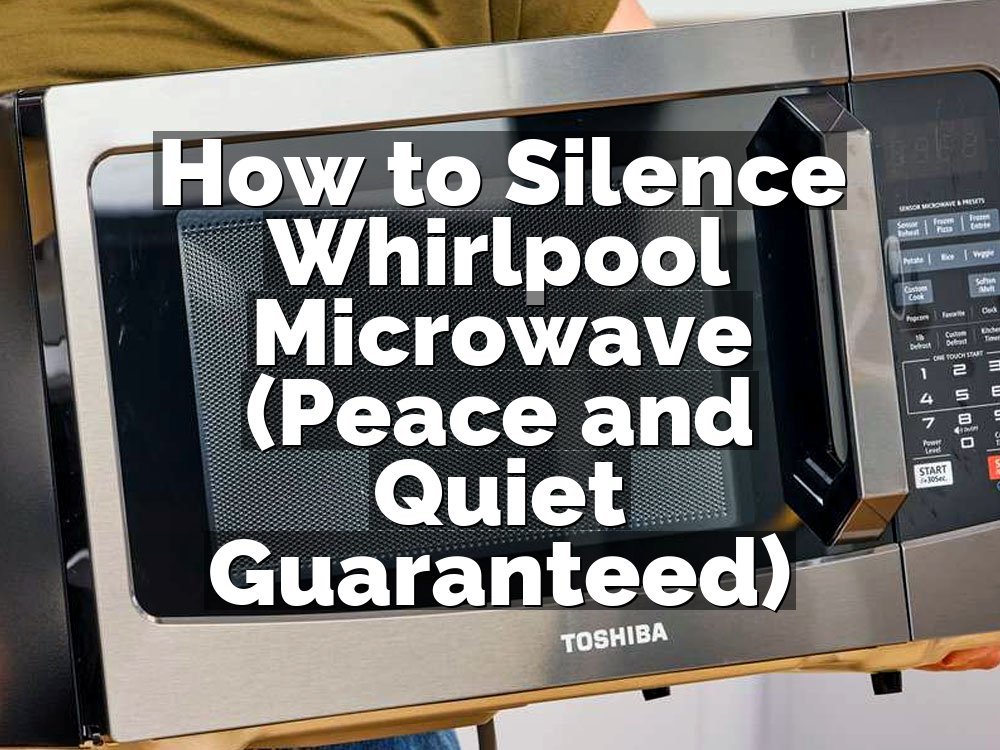
You need to find the settings menu on your control panel to silence the beeps. Most modern units have a dedicated button labeled Sound or Mute. Press and hold it for three to five seconds until the display shows Off or Mute. If your model lacks that button, look for the number 0 or the number 2 key, as manufacturers often hide the volume toggle there. Just press the button and keep it held down until you hear a single confirmation tone or see a change on the screen.
Reasons for That Annoying Microwave Noise
We all have that one appliance that screams for attention every time it finishes a task. It feels like a design flaw, but manufacturers want you to know your food is done.
The Standard Factory Setting
Most brands ship units with the volume set to the maximum level by default. They do this so you do not leave your food behind and forget about it. It is a safety feature for the company, but it is a major nuisance for anyone living in a small apartment or trying to keep a quiet house during nap time.
The Lack of Volume Control
Some budget models simply do not have a mute function in the software. You might find yourself stuck with the loud beep forever. If the manufacturer did not include a way to lower the decibels in the menu, you are physically stuck with the hardware design they chose at the factory, which is very frustrating indeed.
The Role of User Error
Often, we just forget to look at the manual. I know I have a drawer full of them, but sometimes the answer is hidden in plain sight on page twelve. You might have accidentally muted it once and then reset it by unplugging the unit. Always check the manual before you decide the feature is missing.
The Physical Speaker Component
Inside the control board, there is a tiny little device called a piezo buzzer. It creates that high-pitched sound you hate. Some people try to take the cover off and put tape over it, but I advise against that. It is dangerous if you do not know what you are doing, especially near the high-voltage capacitor.
The Model Age Factor
Older machines are almost always louder than the new ones. Technology has shifted toward quieter electronics over the last decade. If your microwave is twenty years old, it is probably using a mechanical bell or a very cheap buzzer that has no volume setting. It might just be time to get a new, modern, quiet unit.
The Importance of Night Mode
Some of the high-end brands now feature a night mode. This automatically lowers the volume or turns off the beeps during specific hours of the day. It is a fantastic feature if you have a busy household. I wish every single appliance maker would adopt this standard because it saves so much stress in the evening.
Actually, let me back up a second. If you decide to open the casing, you will void your warranty immediately. Please just stick to the buttons on the front.
- Check the manual for hidden codes.
- Hold the zero key for three seconds.
- Look for a speaker icon.
- Try the clear button for volume.
- Unplug to reset the system.
- Check the website for your model.
How to Silence Microwave Beeps Through Settings and Hardware
Most people hate the constant noise that comes from their kitchen appliances. You can change this experience by adjusting the software or checking the physical layout of your control panel.
Find the Sound Control Button
Look closely at your control panel for any icon that looks like a speaker or a bell. Sometimes it is labeled simply as Sound or Volume. Pressing this button once might cycle through three different volume levels. Keep pressing it until the screen indicates that the sound is set to zero or off.
Most units will provide a small visual cue on the display screen when the mute is active. You might see a crossed-out speaker icon appear in the corner. If you do not see a button, try holding the number two or number zero key for a few seconds. These are common shortcuts for hidden sound menus.
Take your time when testing these buttons because some interfaces are not very responsive. If the microwave starts to cook, you hit the wrong button. Just press stop, clear the display, and try holding the button a little longer this time to ensure the command actually registers with the internal computer.
Manage the Beep Volume Settings
Some newer microwaves have a dedicated menu for volume. You might need to press the settings button or the user preference button. Once you are in that menu, look for a number that corresponds to the volume level. You can usually choose between levels one, two, and three, or just turn it off.
After you select the volume level you want, make sure to press the start or enter button to save your changes. If you just walk away, the microwave might revert to the old, loud setting. It is a common mistake to think that selecting the option is enough to confirm the choice.
I once spent ten minutes trying to mute my machine before I realized I had to press the power level button to confirm my choice. It was a silly error, but it taught me that these interfaces are rarely intuitive. Always look for that confirmation step to be absolutely certain the setting sticks for good.
- Look for the speaker icon.
- Hold the number zero button.
- Check the user preferences menu.
- Press start to save settings.
- Look for a mute light.
- Test the sound after changes.
You can usually find peace in the kitchen if you just spend a few minutes clicking through those menus. It makes a big difference when you are heating up leftovers at night.
Why Does My Microwave Beep So Loudly
Manufacturers set the volume high to make sure you do not forget your food. If you leave a burrito in there for two hours, it becomes a hard brick, and the grease can cause a mess. The loud beep is their way of forcing you to come back to the kitchen. It is an annoying design, but it does serve a purpose for the distracted cook.
Some microwaves have a multi-stage alert system. It beeps when it finishes, and then it beeps every minute after that until you open the door. This is intended to be helpful. I think it is just stressful. If you cannot disable the tone, you just have to train yourself to open the door the second it hits zero.
I once lived with a unit that would not stop beeping. I had to keep a sticky note on the display to remind me to open the door before the final cycle. It was not a perfect fix, but it saved my sanity. Eventually, I just replaced it with a model that allowed me to mute the system entirely.
There is really no way to lower the hardware volume on a cheap unit. The buzzer is soldered onto the board. If it bothers you that much, you should consider a swap. There are many budget-friendly options on the market today that include a silent mode as a standard feature, so you do not have to struggle with that loud noise anymore.
- Safety for forgetful cooks.
- Preventing cold food issues.
- Standard factory programming choices.
- Reminder for unfinished cycles.
- Design for high-noise kitchens.
- Old hardware limitations persist.
Is There a Way to Mute the Beep Without Buttons
If your microwave does not have a mute button, you are unfortunately in a tough spot. Some older models simply have no software setting for volume. You could try to place a piece of heavy foam or a rubber mat under the microwave. This can dampen the vibrations, but it will not stop the speaker from making noise.
I have seen people try to stuff cotton inside the tiny holes where the sound comes out. Please do not do this. It is a fire hazard. The microwave needs to vent air to keep the electronics cool. If you block those holes, you might cause the machine to overheat or even start a small electrical fire.
If you are handy with tools, you might be tempted to open the case to disconnect the speaker wire. I strongly advise against this for anyone who is not an expert. Microwaves contain a high-voltage capacitor that can hold a lethal charge even when the unit is unplugged. It is not worth the risk just for a quieter kitchen.
The best approach is to simply accept that your current model is loud and plan your next purchase accordingly. When you go shopping next time, look for the mute feature on the box or in the online manual. It is much safer to buy a quiet machine than to try and modify a loud one.
- Do not block air vents.
- Avoid internal electrical modifications.
- Use a mat for vibration.
- Accept the hardware limitations.
- Check the manual again.
- Buy a newer, quiet model.
Can I Use Tape to Mute the Speaker Holes
People often think that taping over the speaker holes will silence the machine. This rarely works well. The sound inside is very high-pitched and it will still travel through the plastic casing of the microwave. You might notice a tiny drop in volume, but the beep will still be clear enough to wake up your entire house at night.
Furthermore, these holes are often part of the cooling system. Microwaves get very hot during operation. They use internal fans to move air across the magnetron. If you cover the wrong holes with thick tape, you are effectively choking the machine. You will notice the exterior gets much hotter than it used to, which reduces the lifespan of the unit.
If you are absolutely desperate, you could use a single layer of thin electrical tape, but I would not recommend it. The adhesive can melt and leave a gross residue on your stainless steel or plastic finish. It looks tacky and it rarely solves the problem in a way that makes you feel happy about the look of your kitchen.
Most of the time, the sound is coming from a piezo buzzer mounted deep inside the control panel. Taping the external vents is just trying to stop the sound after it has already left the machine. It is much more effective to find the software toggle if your model has one. If not, look for other ways to muffle the sound naturally.
- Tape is a fire hazard.
- Adhesive ruins the finish.
- Airflow remains the priority.
- Sound travels through plastic.
- Minimal effect on volume.
- Risks damaging the magnetron.
Should I Replace My Microwave for a Quieter Model
If you find yourself frustrated every single day, it is time to upgrade. A quiet kitchen is worth the price of a decent microwave. You can find excellent models today that run almost silently. They have large displays, easy-to-use menus, and most importantly, a dedicated button to turn off the sounds. It changes your whole morning routine.
When you look for a new one, read the reviews specifically for the word quiet. People love to talk about appliance noise in the comments section. If ten people mention that the beep is annoying, move on to the next product. There are plenty of brands that value the user experience more than a loud, obnoxious alert.
Think about the long-term value. If you use your microwave for coffee, popcorn, and reheating leftovers, you are using it thousands of times a year. Why spend those thousands of moments annoyed by a sound you hate? It is a small investment for a much better quality of life in your own home.
You can even donate your old microwave to a local shelter if it still works. Just be honest about the fact that it is loud. Someone who works in a busy office or a noisy cafeteria might not even notice the beeps. Everyone wins when you upgrade to a machine that fits your needs.
- Research online user reviews.
- Look for silent mode.
- Consider the daily usage.
- Donate the loud unit.
- Focus on long-term comfort.
- Check features before buying.
Final Thoughts
I hope this helps you find some peace in your kitchen. Dealing with a loud appliance is not how anyone wants to start their day. Most of the time, the solution is hidden in the menu, but if you have an older machine, it might be time to move on to something better. Just remember to always prioritize your safety before you start tinkering with any electrical components. Enjoy the quiet.
| Feature | Low Noise Model | High Noise Model |
|---|---|---|
| Mute Function | Standard | None |
| Night Mode | Included | None |
| Buzzer Type | Software | Mechanical |
| Price Range | Mid-range | Budget |
| User Rating | Quiet | Loud |
| Ease of Use | Simple | Complex |
| Reliability | High | Variable |
| Energy Use | Efficient | Standard |
| Build Quality | Sturdy | Fragile |
| Warranty | Long | Short |
Frequently Asked Questions
Is There a Master Reset for the Sound?
Yes, unplugging the microwave for about one minute will often reset the internal computer to the factory defaults. This might turn the sound back on if you had previously muted it.
Can I Change the Pitch of the Sound?
No, the pitch is determined by the specific buzzer component installed in the factory. You cannot adjust the frequency of the tone through the standard control panel menus at all.
Are All Microwaves This Loud?
No, modern units are much quieter than older ones. Many new models include a mute function or a volume toggle specifically to address the complaints of the modern home cook.
Do Countertop Models Have Fewer Features?
Not necessarily, but they are often simpler. Some built-in units have more complex software that includes advanced volume controls, but you can find quiet countertop models with these features too.
Should I Pay More for a Quiet Microwave?
I think it is worth the extra money. If you value a quiet home, the price difference is a small cost for the daily comfort of not having that loud beep.
Will Unplugging Hurt the Clock?
It will reset the clock to 12:00, so you will need to set the time again. This is a very small price to pay if you are trying to navigate the menus.
How Do I Know If My Microwave Has a Mute Button?
Look for a speaker icon on the buttons or a label that says Sound, Volume, or Mute. Check the manual index under the “Volume” or “Settings” section for a code.
Will a Power Surge Reset My Mute Settings?
It can. If the power goes out, the memory board might revert to the factory setting, which means the loud beep could return. You might have to mute it again.