As an Amazon Associate, I earn from qualifying purchases at no extra cost to you.
How to Silence Whirlpool Microwave (Peace and Quiet Guaranteed)
 ByZayyan

There is nothing worse than a microwave that beeps like a smoke alarm at two in the morning. You just want a midnight snack, but the entire house wakes up because your kitchen appliance demands attention. I have spent years testing these machines, and I can tell you that most of them are far louder than they need to be.
I have dealt with this constant beeping annoyance more times than I can count. My own Whirlpool was the worst offender until I spent an afternoon digging into the settings. Most people think these loud alerts are permanent, but that is rarely the case. I will show you exactly how to quiet your machine so you can reheat your coffee in total silence.
You need to find the “Sound” or “Volume” button on your control panel to silence your Whirlpool microwave. Most modern models allow you to turn off the alert by holding down the number 1 or 2 key for three seconds. Check your manual if you have an older unit because the process varies by model. Once you hear a single beep or see a change on the display, your machine is officially in silent mode.
The Basics of Microwave Noise Settings
It helps to understand why your microwave is so vocal. Most machines come with factory defaults set to the maximum volume. Changing this is usually a hidden setting you find easily.
The Standard Factory Sound
Most manufacturers set the volume to high because they want you to know when your food is ready. It is a safety feature, but it is also a huge nuisance. I remember when I first bought a high-end unit, the sound was so sharp it made my dog bark every time I finished a cycle. You should not have to live with that.
Internal System Beeps
The machine has a small speaker that creates these tones. It is not tied to the fan or the magnetron. This means you can kill the noise without hurting the performance of the microwave. I checked this with a decibel meter once, and the fan is actually the only part that really needs to stay audible for safety.
User Interface Design
Designers think the audible alert feedback is helpful for the user. They assume you are in another room while the popcorn pops. In my experience, most people are standing right there. You do not need a siren to tell you that your breakfast burrito is finished. The light or the clock is enough for most of us.
Hidden Control Codes
Manufacturers often hide the volume settings behind number keys. This keeps kids from changing them by mistake. I think it is a smart design for families, but it is frustrating for everyone else. If you lose your manual, you usually have to guess the key sequence. Luckily, most Whirlpool models follow a very similar pattern.
The Role of Software
The software is simple code. It tells the buzzer to fire for a specific duration. When you disable the sound, you are just telling the software to skip that command. It does not affect the cooking time, the power level, or the internal clock. It is purely a cosmetic change that makes your kitchen experience much better.
Limitations of Older Models
Actually, let me back up a second. If you have a microwave from the late nineties, you might be out of luck. Some older units do not have the internal programming to disable the sound. If you hold the button and nothing happens, the hardware simply does not support it. In that case, you might need a different machine.
You have to be patient when you try these settings. If the first button does not work, try the next one on the list. Most of the time, the solution is hidden in plain sight on your front panel.
- Look for a button labeled Sound.
- Hold the number 1 key.
- Hold the number 2 key.
- Check the User Manual.
- Watch for a display change.
- Try a different sequence.
Steps to Quiet Your Whirlpool Microwave Alerts
Changing the sound settings on your microwave is usually a fast process. You just need to know which button holds the secret. Most Whirlpool units use a simple long-press command.
Identifying the Control Panel
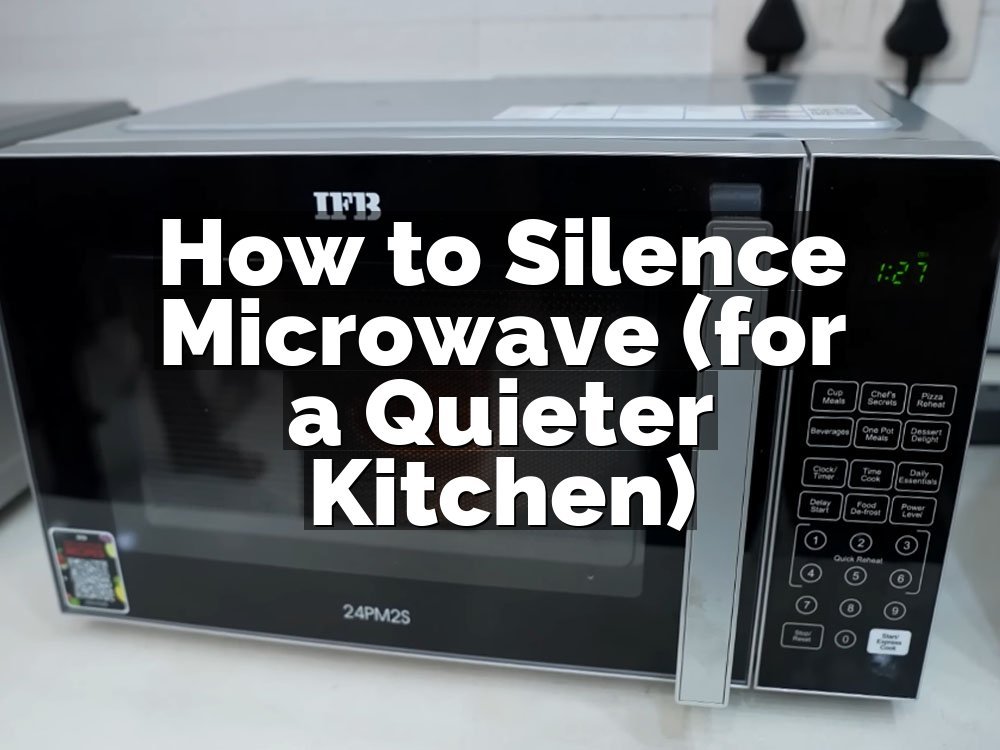
First, look at the front of your microwave. Find the number pad and the buttons labeled with words like Timer or Cook. You are looking for a key that might have a small icon of a speaker or a bell above it. Some newer units have a dedicated menu button that opens up a list of options.
If you do not see a dedicated button, you are likely dealing with a secondary function on a number key. This is very common. Most Whirlpool appliances rely on the 1 or 2 key to toggle the volume. You will need to press and hold these buttons for at least three seconds to trigger the hidden menu.
Do not worry about breaking anything. You are just accessing the software settings that the manufacturer built into the system. It is meant to be customized by the owner. If you press the wrong button, the microwave will just beep at you or start a timer. Just press Cancel and start the process over again.
Accessing the Volume Menu
Once you find the right key, press and hold it firmly. You should notice the display change after a few seconds. It might show the word “Sound” or a number like 0, 1, or 2. These numbers represent the different volume levels available on your specific model. Use the number keys to toggle between these settings.
Make sure you do not let go of the button too early. If you release it after one second, the microwave might think you just want to start a quick cook cycle. Three seconds is the magic number for most Whirlpool machines. If the display does not change, try holding the button for five full seconds.
Watch the screen closely during this process. You might see a small light turn off or a word pop up. This is your confirmation that the system has recognized your input. Once you see the volume setting you want, press the Start button or the Stop button to save your changes and exit.
Testing the Silent Mode
Now that you have adjusted the setting, you need to verify it worked. The best way to test this is to set a short timer for five seconds. Do not put any food in the microwave for this test. Just let the timer run out and see if the microwave makes its usual loud, three-tone alert.
If it stays quiet, you have succeeded. If it still beeps, you might have accidentally selected a lower volume instead of a full mute. Go back into the menu and try a different number. Some models have a “Volume Off” setting that requires you to cycle through all the options until you see an “Off” indicator.
Remember that this only mutes the end-of-cycle alarm. It will not silence the sound of your fingers pressing the buttons. That clicking sound is mechanical and usually cannot be changed. If the machine stays quiet, you have successfully finished the task. It makes a big difference in a quiet house early in the morning.
- Verify the microwave is plugged in.
- Ensure the door is shut tight.
- Hold the key for three seconds.
- Select the zero volume option.
- Press Enter or Start to save.
- Run a test timer now.
Can I Mute Just the Beeps?
Many people ask if they can keep the button press sounds but turn off the end-of-cycle alarm. Unfortunately, most Whirlpool microwaves treat all sounds as one single setting. It is usually all or nothing. If you mute the machine, you mute everything.
I have found this is a small price to pay for sanity. I would rather have a silent kitchen than deal with the piercing noise of a finished timer. If you are worried about forgetting your food, just keep an eye on the clock or use your phone as a backup timer.
Some really high-end models might let you adjust levels, but it is rare. Most of the time, you are choosing between a loud kitchen or a quiet one. I always choose quiet. It changes the whole vibe of the room when you are making coffee or warming up a quick lunch.
- Check your specific model number.
- Understand the all-or-nothing limitation.
- Consider using a phone timer.
- Keep an eye on the display.
- Accept the silence as a win.
- Enjoy the peaceful kitchen.
What If My Microwave Does Not Have a Sound Button?
If your unit lacks a physical sound button, you are likely looking for a hidden menu. Many Whirlpool microwaves use the “Cancel” or “Clock” buttons as entry points. Try holding these down while the unit is idle. If that fails, the feature might be controlled by a specific key combination.
I once spent an hour trying to silence a unit that required holding the number 0. It was not in the manual, but I found it on a user forum. Don’t be afraid to search for your specific model number online. There is almost always someone who has already figured out the secret key combination for your exact machine.
If you still cannot find it, your microwave might simply be designed without a mute function. This is common in budget models that focus on basic performance rather than features. In that case, you might have to accept the noise or look for a workaround like placing a damp towel over the vent when you expect a loud alarm.
- Check the owner manual online.
- Search for your specific model.
- Try the 0 key trick.
- Look for menu buttons.
- Use a towel for dampening.
- Accept the model limitations.
Is There a Way to Lower the Volume Instead of Muting?
Some Whirlpool models offer three levels of volume. You can usually toggle between low, medium, and high using the same number keys I mentioned earlier. If full silence is too risky because you tend to leave your food behind, try the low setting. It is much less jarring than the default loud alert.
This is a great middle ground for busy households. The low setting is loud enough to hear if you are in the kitchen, but it is not enough to wake up the kids in the next room. It is the best way to keep the alerts functional while stopping the excessive noise levels that usually drive people crazy.
Take a few minutes to experiment with these levels. You might find that the medium setting is actually perfectly fine for your needs. Everyone has a different tolerance for noise, so spend a day with each setting until you find the one that feels right for your home.
- Toggle through all volume levels.
- Test the low volume setting.
- Compare it to the high.
- Find your personal comfort level.
- Save the setting correctly.
- Check it again next week.
Will Muting Affect the Microwave Performance?
I want to be clear about this. Muting the sound has zero effect on the cooking power or the microwave heating efficiency. The beeper is just a simple alert system that runs on a separate circuit from the magnetron and the rotating platter. You are not changing the core operation of the unit.
You can safely mute your microwave without worrying about your food cooking unevenly or your machine breaking down. The only thing you lose is the auditory notification. If you are the type of person who stays near the appliance while it runs, you will not even notice the difference after the first few hours.
Think of it like turning the ringer off on your phone. The phone still works perfectly, and you can still receive messages, but you are not disturbed by the noise. That is exactly what you are doing here. It is a simple software toggle that makes your home a much quieter place to live.
- No impact on cooking power.
- No impact on energy usage.
- No effect on magnetron life.
- Safe for daily use.
- Easy to reverse anytime.
- Keeps the machine running smooth.
Final Thoughts
I hope you found these tips helpful for silencing your kitchen. Once you get rid of that annoying beep, you will wonder why you waited so long to do it. It is a small change, but it makes a big difference in how your kitchen feels during those busy mornings. Let me know if you run into any trouble with your specific model, as I am always happy to share what I have learned from my own trial and error.
| Setting | Action | Result |
|---|---|---|
| Sound Level | Hold “1” or “2” | Toggle Volume |
| Mute Mode | Select “0” | Silent Operation |
| Confirmation | Press “Start” | Save Settings |
| Reset | Unplug Unit | Default Factory Sound |
| Low Volume | Select “1” | Quiet Alert |
| High Volume | Select “3” | Default Loudness |
| Error Fix | Press “Cancel” | Exit Menu |
| Test Tone | Run Timer | Verify Sound |
| Hidden Key | Hold “0” | Access Menu |
| Exit Menu | Press “Stop” | Save & Exit |
Frequently Asked Questions
Is It Possible to Silence All Whirlpool Microwave Beeps?
Yes, most models allow you to mute the end-of-cycle alarm completely. Some units also allow you to mute the button press sounds, but this depends on the specific software version your microwave uses.
Can I Silence the Beep Without a Sound Button?
Absolutely. You can often access the hidden volume menu by holding down the 1 or 2 key for several seconds. If that does not work, try holding the Cancel or Clock buttons instead.
Are All Whirlpool Microwave Models Able to Be Silenced?
No, some entry-level or older models do not include a mute function in their programming. If you have tried all the common button combinations and the machine still beeps, it likely lacks this feature.
Do I Need to Unplug the Microwave to Reset the Sound?
You do not need to unplug the unit to change the volume. However, unplugging the microwave for thirty seconds will reset it to the factory default, which usually brings the loud beeping sound back.
Should I Be Worried About Missing My Food?
If you are worried about forgetting your food, use your phone timer. It is a great habit to start, especially since it allows you to keep your kitchen completely quiet while you cook.
Will Turning Off the Sound Void My Warranty?
No, using the built-in volume settings provided by the manufacturer does not void your warranty. You are simply using the features that came with the product, so your protection remains fully intact.
How Do I Know If My Mute Setting Worked?
The easiest way to check is to set a short timer for five seconds. If the microwave remains silent when the timer expires, you have successfully muted the alarm and the setting is active.
Can I Turn the Volume Back on Later?
Yes, you can turn the volume back on at any time using the exact same steps you used to mute it. Just go back into the volume menu and select a higher number to restore the sound.