As an Amazon Associate, I earn from qualifying purchases at no extra cost to you.
6 Best Smart Doorbells (Buying Guide) 2026
 ByZayyan

Picking the wrong smart doorbell is a real headache. You end up with grainy footage, spotty Wi-Fi, or a subscription fee nobody warned you about. In this article I will show you the top 6 best smart doorbells worth your money right now, what makes each one stand out, and which one actually fits your home.



Top 6 Best Smart Doorbells You Can Buy Now
Tapo 2K+ Wired or Battery Powered Smart Video Doorbell – Best Two-in-One Flexibility
The Tapo D225 is one of those rare doorbells that does not force you to choose. You can run it wired or on battery. That alone makes it stand out from most of the competition, because your home setup does not have to change just to get a smart doorbell working.
The video quality is genuinely impressive. At 2K+, you get sharp, clear footage even in low light. The ultra-wide lens means you can see the full porch, the steps, and even packages sitting near the door, not just a tiny sliver of your entryway. That wide view is something you will actually appreciate the first time a package gets left out.
Motion detection on this one is smart, not just sensitive. It can tell the difference between a person and a passing car. That means fewer random alerts at 2 a.m. because a bus drove by. You set the zones you care about and it watches them.
No mandatory subscription is a big deal here. Tapo lets you use local storage through a microSD card, so your footage stays yours. If you are tired of paying monthly just to see last week’s clips, this is refreshing.
- 2K+ video with ultra-wide view
- Works wired or on battery
- Smart motion zones, no false alarms
- Local storage option, no forced subscription
- Works with Alexa and Google Home
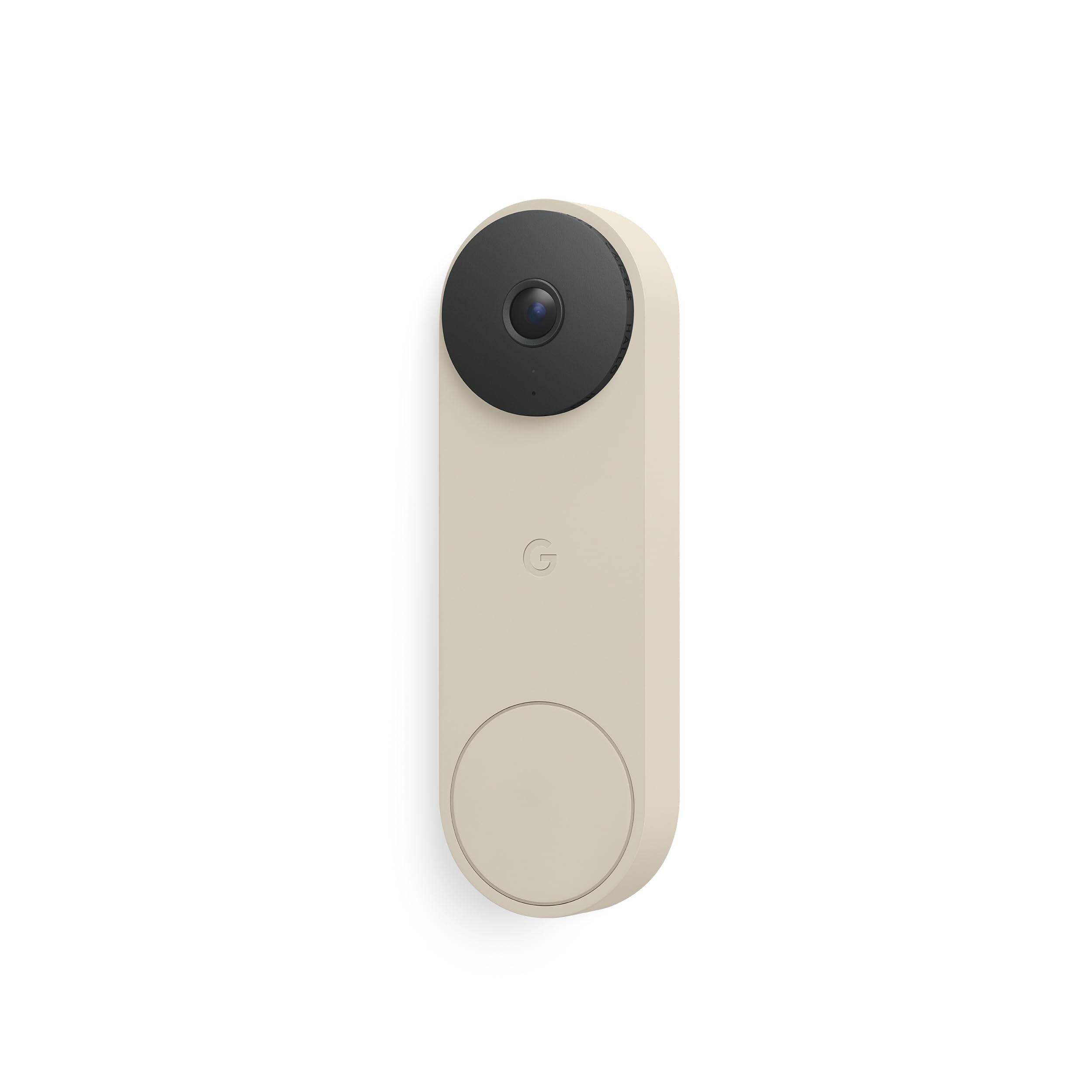
Google Nest Doorbell (3rd Gen, Wired) – Best for Google Home Users
If your home already runs on Google, this doorbell just fits. The 3rd Gen Nest Doorbell connects instantly to Google Home and works seamlessly with Nest cameras, Google TV, and even your Nest thermostat. Everything talks to each other without any weird workarounds.
The video quality hits 2K HDR, which means colors look real and details stay sharp even when the sun is blasting right at your door. Backlighting used to ruin doorbell footage. Not here. You can actually see faces clearly even on a bright afternoon.
What really sets this apart is the on-device AI. It can identify if it sees a person, a package, an animal, or a vehicle. You get a notification that says “Package detected” rather than just “Motion detected.” That specificity changes how useful the alerts actually are in your day-to-day life.
The catch is that Google requires a Nest Aware subscription for some features, like 60-day video history. It starts at a few dollars a month. Not terrible, but worth knowing before you buy. For Google households though, this is a very natural choice.
- 2K HDR video, great in sunlight
- On-device AI tells you what it sees
- Deep Google Home integration
- Familiar face recognition with subscription
- Wired only, so you need existing doorbell wiring
eufy E340 Security Video Doorbell – Best for No Subscription Ever
The eufy E340 is built for people who hate recurring fees. And honestly, that is a lot of people. eufy’s whole thing is local storage. Your footage goes to their HomeBase hub or a microSD card. No monthly bill. No cloud required. Just your video, stored at home.
You get dual cameras on this one. There is a main lens for the wide view and a second lens pointed downward to catch packages at your feet. That bottom camera is genuinely useful. Porch pirates are real, and this doorbell actually catches what they are doing at ground level while the main camera watches their face.
The resolution runs at 2K on the main camera with good color night vision. Even in total darkness, you get footage that is actually useful for identifying what happened. That matters when you are reviewing clips after an incident, not just glancing at a live feed.
Battery life is solid too. The rechargeable dual battery setup keeps it running for months without you having to think about it. It charges via a cable rather than removing the whole unit, which is a nice touch.
- No subscription, ever
- Dual cameras, one for packages at ground level
- 2K main camera with color night vision
- Long battery life with rechargeable setup
- Works with Alexa and Google Home
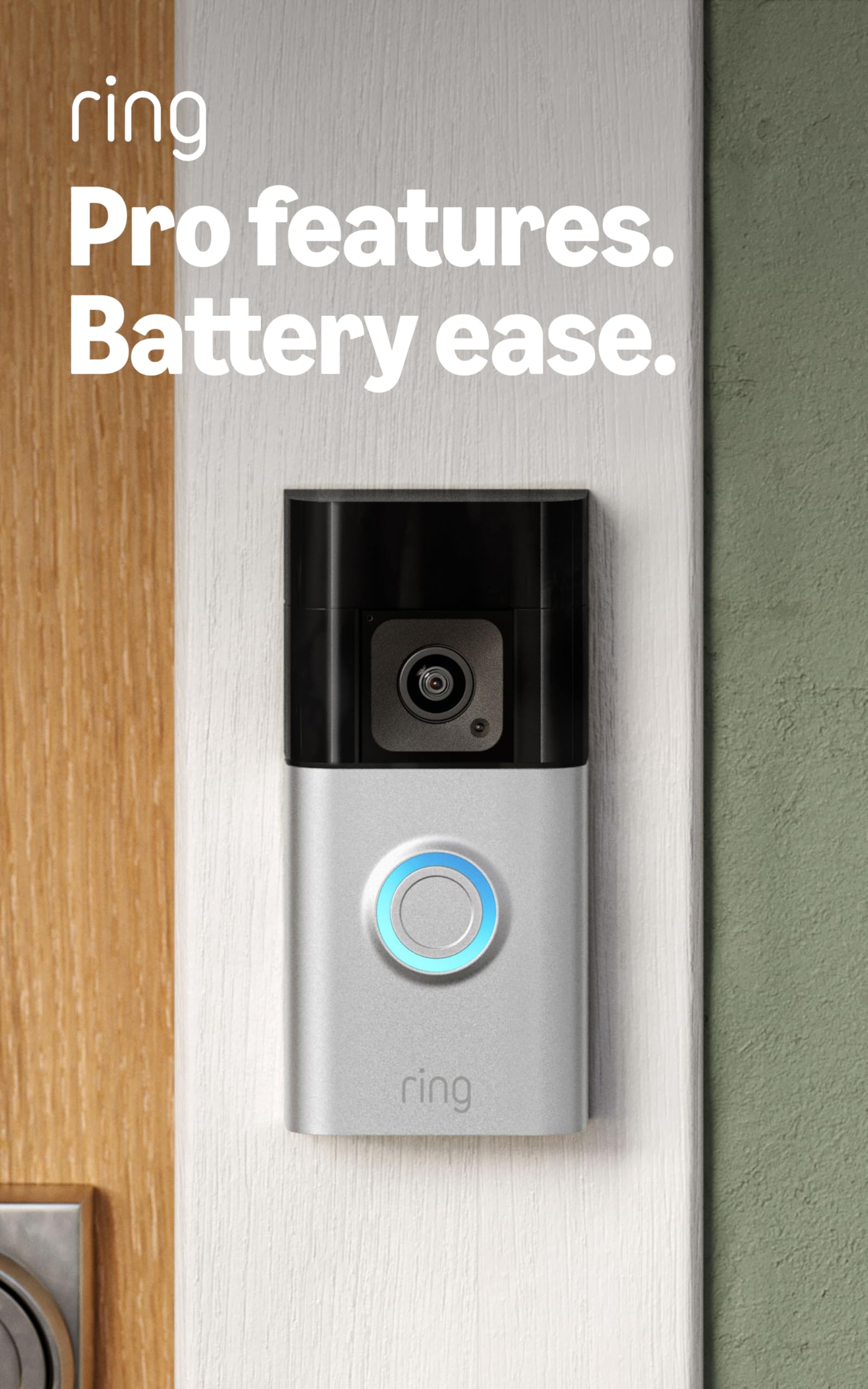
Ring Battery Doorbell Pro – Best for Ring Ecosystem Users
If you already have Ring cameras or a Ring Alarm system, adding the Battery Doorbell Pro just makes sense. Everything feeds into one app. One place to check all your cameras, motion alerts, and video history. That convenience factor is real when you are already living in the Ring world.
The video quality here is 1536p, which sits just under true 2K but still delivers clean, detailed footage. Head-to-toe view is a big feature, showing the full person at your door rather than cutting off at the shoulders. You will see what they are carrying, what they are wearing, full picture.
Bird’s Eye View is one of Ring’s cooler features. When motion is detected, the app shows a little aerial map view of where movement happened in your driveway or yard. It is a nice visual way to understand exactly what triggered an alert without scrubbing through video.
The battery situation is solid. One charge lasts months depending on traffic. And if you want to go wired later, this model supports both. So you are not locked into one setup forever. Just know that Ring Protect plan is needed for video history and some smart features.
- Works inside the Ring ecosystem perfectly
- Head-to-toe video view
- Bird’s Eye View motion tracking
- Wired or battery, your choice
- Ring Protect subscription needed for full features
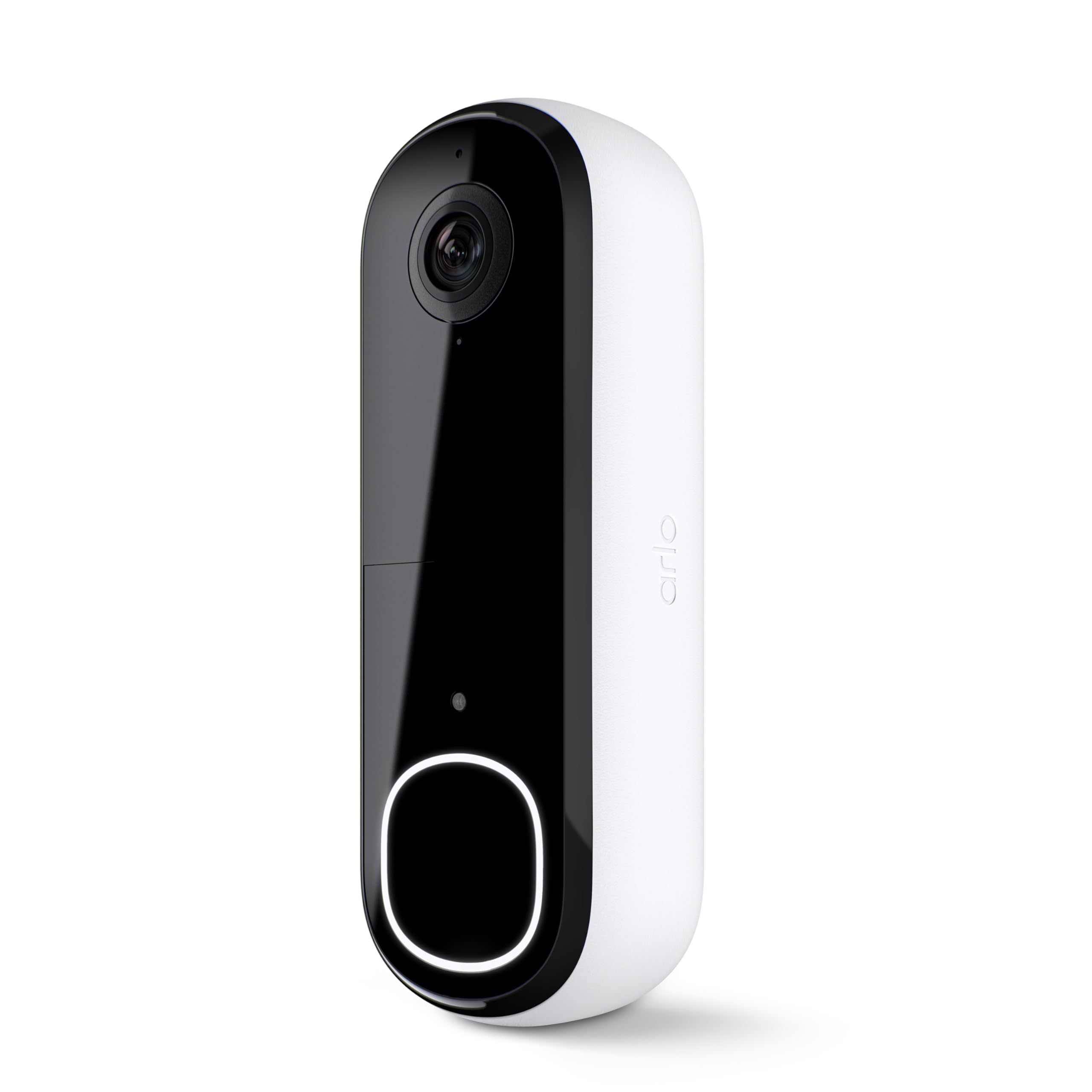
Arlo 2K Video Doorbell (2nd Gen) – Best Video Quality with Built-In Siren
The Arlo 2K Video Doorbell does not mess around. The 2K HDR video is crisp, the colors are true, and the wide-angle lens catches everything without distortion. But what makes this one different is the built-in siren. If something sketchy is happening at your door, you can trigger an alarm right from your phone.
That siren is louder than you might expect, and it can scare off someone in seconds. For people who feel anxious about home security, having that kind of immediate response option is genuinely reassuring. You are not just watching, you can actually do something.
Two-way audio is sharp on this doorbell. The speaker is clear enough to have a real conversation. The microphone picks up voices well without a lot of background noise filtering in. That matters when you are talking to a delivery person or telling a stranger to back off.
Arlo’s app is clean and easy to use. The free plan gives you some cloud storage, which is rare. Paid plans go up from there. Smart alerts can tell you if it sees a person, a vehicle, or an animal. And it integrates with Alexa, Google, and Apple HomeKit, so it works with nearly any smart home setup.
- 2K HDR video with wide-angle view
- Built-in siren you control from your phone
- Clear two-way audio
- Free cloud storage included
- Works with Alexa, Google, and Apple HomeKit
Blink Video Doorbell – Best Budget Pick for Alexa Homes
Not everyone wants to spend a lot on a doorbell. The Blink Video Doorbell is for people who want something that works, costs less, and fits right into an Alexa setup. It is honest about what it is. A no-frills, budget-friendly option that still does the job.
The video goes up to 1080p, which is totally fine for most front doors. You will see faces clearly, read package labels, and tell who is standing outside. It is not 2K, but it is far from bad. Day and night footage both come through clean enough for everyday use.
Motion alerts are quick. You get a notification on your phone fast, and you can pull up live view to see what is happening. Two-way audio works well. You can have a real conversation through the doorbell without too much lag or echo.
Battery life here is one of the highlights. Blink advertises up to two years on two AA lithium batteries. That is wild compared to most competitors. If you hate charging things, this is a major win. It also works wired if you prefer that. Storage is handled through a Sync Module 2 or a Blink subscription, both affordable.
- 1080p HD video, day and night
- Up to 2 years on AA batteries
- Quick motion alerts
- Works wired or on battery
- Alexa integration built in
I hope this guide saves you real time and helps you pick the right doorbell without second-guessing yourself. The eufy E340 wins if you hate subscriptions. Go Nest if you live in Google’s world. Arlo is your pick if you want that extra siren security. And if budget matters most, Blink is genuinely good for the price. Whatever you choose, your front door deserves a proper upgrade.
| Doorbell | Video Quality | Power Options | Subscription Needed | Best For |
|---|---|---|---|---|
| Tapo D225 | 2K+ | Wired or Battery | No | Flexible setups |
| Google Nest (3rd Gen) | 2K HDR | Wired only | Optional | Google Home users |
| eufy E340 | 2K | Battery | No | No subscription fans |
| Ring Battery Pro | 1536p | Wired or Battery | Optional | Ring ecosystem |
| Arlo 2K (2nd Gen) | 2K HDR | Wired or Battery | Optional | Security-focused users |
| Blink Video Doorbell | 1080p | Wired or Battery | Optional | Budget buyers |
Things to Consider Before Buying a Smart Doorbell: A Complete Buying Guide
Buying a smart doorbell sounds simple until you are actually standing in front of a dozen options and have no idea which one is right for your home. Too many people just grab the most popular one and end up frustrated when it does not work with their Wi-Fi, needs a monthly subscription, or requires wiring they do not have.
There are real things to consider before buying a smart doorbell, and getting them right saves you money, time, and a lot of headaches. So here is everything you actually need to know before you spend a single dollar.
Power Source: Wired vs Battery
This is the first decision you need to make, and it shapes everything else. A wired doorbell pulls power directly from your home’s existing doorbell wiring. It never runs out of battery, and it usually supports more features like continuous recording. But if your home does not have existing wiring, installation gets complicated fast.
Battery-powered doorbells are much easier to install. You just mount them and charge them when needed. Most modern battery doorbells last anywhere from one to six months on a single charge, depending on how much traffic your door sees. High-traffic homes drain batteries faster, sometimes in just a few weeks.
Pick based on your actual situation, not what sounds cooler. If you rent an apartment or have no doorbell wiring, battery is your friend. If you own your home and want something permanent with zero maintenance, wired is worth the setup.
- Wired: no charging, more features, needs existing wiring
- Battery: easy install, needs recharging, great for renters
- Some models support both, giving you the best of both options
- High-traffic entry points drain batteries faster than you expect
Video Resolution: How Clear Does It Actually Need to Be
Resolution matters, but not always in the way you think. A 1080p doorbell gives you a clear enough image to see faces and read most package labels. It works fine for most homes. But if your porch is large or your door sits far from the street, 1080p footage can look blurry when you zoom in on details.
2K and 2K+ resolution makes a real difference in those situations. You can zoom into a face, read a license plate, or see exactly what someone is carrying without the image falling apart. That level of detail is genuinely useful when something happens and you need to review footage carefully.
Do not pay for resolution you will not use though. If your door opens directly to a small stoop and visitors stand right in front of the camera, 1080p is totally fine. Think about your actual setup before assuming more pixels automatically means a better buy.
- 1080p works well for most standard front doors
- 2K and above helps with larger areas or zoomed-in detail
- Higher resolution can mean larger file sizes and more storage use
- Match resolution to your actual camera-to-subject distance
Field of View: Seeing the Whole Picture
Field of view is how wide the camera can see. A narrow field of view might only show the person directly in front of your door. A wide field of view lets you see the full porch, the steps, and anyone approaching from the side. That difference is huge in real life.
Look for doorbells with at least a 160-degree field of view. Some models go wider. A head-to-toe view is also worth looking for, so you can see what someone is holding or wearing, not just their face cropped awkwardly in the frame. That full-body view is something you will appreciate immediately.
Packages sitting on the ground near your door are also easier to spot with a wide or downward-angled view. Some doorbells even include a second lens pointed at the ground level. If porch theft is a concern in your area, field of view could matter more than resolution.
- Aim for at least 160 degrees of horizontal coverage
- Head-to-toe view shows more than a simple face-level shot
- Wider views reduce blind spots around your door
- Some models offer a second downward camera for packages
Subscription Plans: The Hidden Cost Nobody Talks About
This catches so many people off guard. You buy the doorbell, install it, and then realize you cannot access recorded footage without paying a monthly fee. That happens with Ring, Nest, Arlo, and others. The app works, but cloud video history is locked behind a subscription.
Not every brand does this. eufy and Tapo let you store footage locally on a microSD card or home hub with no monthly charge. That is a real money-saver over time, especially if you are watching your budget. A five dollar monthly fee sounds small until you calculate three years of it.
Before buying, check exactly what you get for free versus what needs a plan. Some brands give you a 30-day trial, then the useful features disappear. Know what you are signing up for before you get attached to a feature that turns out to cost extra.
- Some brands charge monthly for cloud storage and smart alerts
- Local storage options like eufy skip the subscription entirely
- Read the fine print on what the free tier actually includes
- Factor subscription cost into your total budget from day one
Smart Home Compatibility: Does It Actually Work With What You Have
A doorbell that does not talk to your existing smart home setup is more annoying than you’d think. If you have Alexa, Amazon Echo Show, or Fire TV devices, you want a doorbell that shows live video on those screens automatically. Same goes for Google Home, Nest Hub, or Apple HomeKit.
Ring works best in Amazon’s world. Nest works best with Google. Arlo is one of the few that genuinely works well with Alexa, Google, and Apple HomeKit. So if you have a mixed smart home setup, Arlo is worth a closer look. Blink is deeply tied to Alexa and Amazon.
Do not assume compatibility. Check the product page and look at the specific integrations listed. A doorbell that shows video on your Google Nest Hub when someone rings is genuinely convenient. One that makes you pull out your phone every time feels like a step backward.
- Check for Alexa, Google Home, and Apple HomeKit support
- Some doorbells only work well within their own brand ecosystem
- Video display on smart screens is a feature worth having
- Confirm compatibility with your specific devices before buying
Night Vision and Weather Resistance: The Outdoor Realities
Your doorbell lives outside. It deals with rain, sun, cold, heat, and darkness every single day. That means night vision and weather resistance are not optional extras. They are basic requirements you should never skip on.
Standard night vision uses infrared and shows footage in black and white. It works, but it can be hard to identify clothing colors or vehicle color at night. Color night vision is better. It uses ambient light or a spotlight to show full-color footage in the dark. Brands like eufy and Ring offer this on some models.
For weather resistance, look for an IP65 rating or higher. That means the device can handle rain, dust, and normal outdoor conditions without failing. Some cheaper doorbells carry lower ratings and start having issues after a few months of rain exposure. Your doorbell should last for years outside, not just through summer.
- Standard night vision works but shows footage in black and white
- Color night vision helps identify people and vehicles more accurately
- Look for IP65 weather rating as a minimum standard
- Extreme cold can reduce battery performance in outdoor doorbells
I hope this breakdown makes it easier to think through the things to consider before buying a smart doorbell without feeling overwhelmed. Start with power source and compatibility, then work through the rest. There is no perfect doorbell for everyone, but there is a right one for your home. Take your time, match the features to your actual life, and you will make a decision you feel good about.
| What to Check | What to Look For | Why It Matters | Tip |
|---|---|---|---|
| Power Source | Wired, battery, or dual option | Affects installation and maintenance | Check for existing doorbell wiring before choosing |
| Video Resolution | 1080p minimum, 2K for larger spaces | Clearer footage means better identification | Match resolution to your door-to-street distance |
| Field of View | 160 degrees or wider | Covers more area around your door | Look for head-to-toe view for full-body shots |
| Subscription Cost | Free tier details and paid plan pricing | Hidden costs add up over months and years | Look for local storage options to avoid monthly fees |
| Smart Home Match | Alexa, Google Home, Apple HomeKit support | Makes your doorbell part of your existing setup | Confirm compatibility with your actual devices |
| Night Vision Type | Infrared or color night vision | Color night vision helps in total darkness | Check for at least IP65 weather resistance rating |
Frequently Asked Questions (FAQs)
Is it hard to install a smart doorbell yourself?
Not really. Most smart doorbells come with clear instructions and a mounting kit. If you are replacing an existing wired doorbell, you just connect the same wires. Battery models are even easier since there is no wiring at all. The whole process usually takes under 20 minutes with just a screwdriver. Watch one YouTube video and you are set.
Is it worth paying for a subscription with smart doorbells?
It depends on how you use it. Free plans usually give you live view and basic alerts. But if you want to go back and review footage from three days ago, you almost always need a paid plan. eufy and Tapo get around this with local storage. If cloud history matters to you, a subscription is worth a few dollars a month.
Can smart doorbells work without Wi-Fi?
Not really, no. Smart doorbells need Wi-Fi to send alerts to your phone, load live video, and connect to your smart home. You can sometimes still record locally without Wi-Fi, like with eufy on local storage, but you would not get any real-time notifications. A solid 2.4GHz or 5GHz home network makes everything run much smoother.
Can I use a smart doorbell with any smart home system?
Most of the popular ones support Alexa and Google Home. Arlo goes further and also works with Apple HomeKit, which is rare. Ring is deeply tied to Amazon’s ecosystem. So before you buy, check if the doorbell supports your specific setup. This saves you a lot of frustration later when you try to link it to your hub or display.
Do smart doorbells record all the time?
Most do not record 24/7 by default. They record when motion is detected or when someone presses the button. Some wired models offer continuous recording with a subscription. If you want round-the-clock footage, check the specs carefully before buying. For most households, motion-triggered recording is more than enough and saves a ton of storage space.
Do I need a professional to install a wired smart doorbell?
Usually not. If your home already has a wired doorbell, replacing it is a basic swap. You turn off the breaker, disconnect two wires, connect them to the new doorbell, mount it, and you are done. If your home has no existing wiring at all, that is when you might want an electrician. But for most people, it is a simple weekend project.
Is it safe to store doorbell footage in the cloud?
Yes, for reputable brands. Companies like Google, Ring, Arlo, and eufy use encryption to protect your video. That said, using a strong unique password and enabling two-factor authentication on your account adds another layer of protection. If privacy is a big concern, local storage options like eufy or Tapo give you full control over where your footage lives.
Can smart doorbells see in complete darkness?
Yes, most modern smart doorbells handle low light well. Many use infrared night vision, which shows footage in black and white but stays clear. Some premium models like the eufy E340 offer color night vision, which uses ambient light to show full-color footage. Color night vision is more useful for identifying people and vehicles in dark conditions.
Is a 1080p doorbell good enough or do I need 2K?
1080p is fine for most front doors. You will see faces clearly and read most package labels. If your driveway is longer, or you want to zoom in on details without the footage getting blurry, 2K makes a noticeable difference. Think about how far away your door is from the street. The farther the distance, the more you will appreciate higher resolution.
Do I need a separate chime for a smart doorbell?
Some doorbells connect to your existing indoor chime, especially wired models. Others rely on app notifications only. Some come with a separate chime unit or let you buy one as an add-on. Ring and Blink both have compatible plug-in chimes. Before buying, check if the doorbell works with your current indoor chime or if you need to buy something extra.