As an Amazon Associate, I earn from qualifying purchases at no extra cost to you.
How to Change Power Level on GE Microwave (Stop Overcooking Your Food)
 ByZayyan

We have all been there. You put a frozen dinner in the microwave, hit the start button, and end up with a lava-hot outside and a frozen center. It is frustrating. Most people think the microwave only has one setting, but that is a mistake. Learning how to control the intensity of your machine changes everything. I will show you how to master these settings so you can cook like a pro.
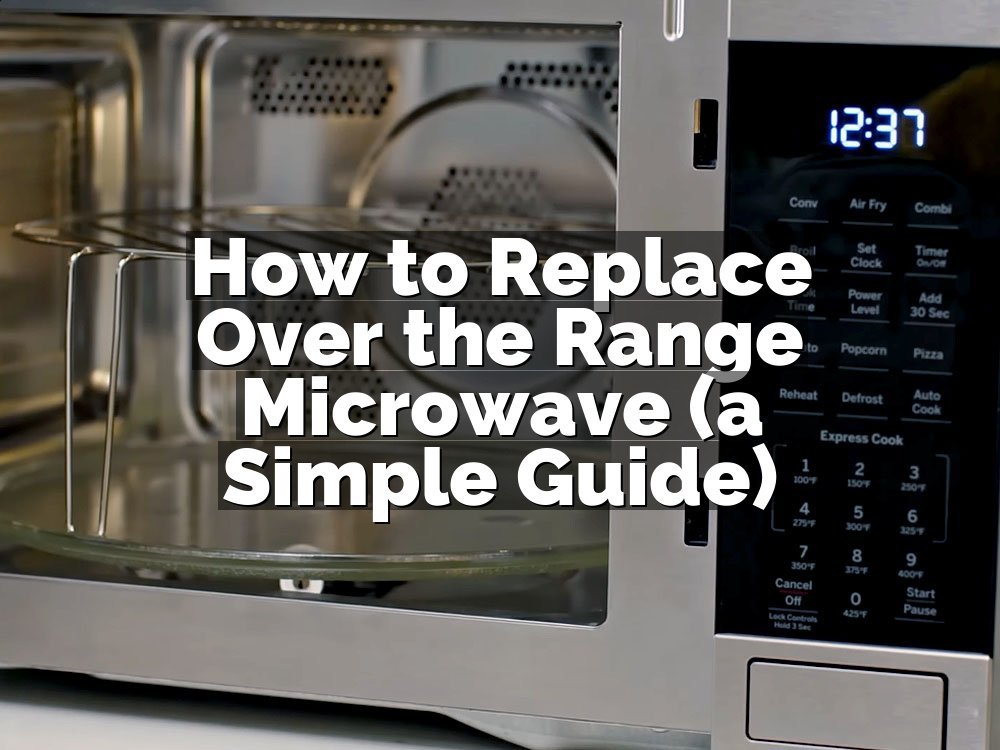
You can change the power level on your GE microwave by pressing the Power Level button on the keypad. After you press it, use the number pads to pick a level from 1 to 10. Once you choose the level, enter your cook time and press start. If you do not press the button, it defaults to high power.
Why GE Microwaves Need Power Adjustments
Microwaves are not just for heating things up fast. They can do much more if you know how to use them. Here are the reasons why you should care about power settings.
The Problem of Uneven Heat
Most microwave meals end up with cold spots because the energy hits the food too hard and too fast. This happens when you stick to the default setting. The outer edges of your lasagna get rubbery while the middle stays cold. By lowering the power, you let the heat travel into the center of the food without drying out the edges.
The Value of Low Power
Low power is perfect for things like softening butter or melting chocolate. If you use full power, you will end up with a greasy puddle instead of soft, usable butter. I use level 2 or 3 for these tasks. It gives me enough control to prevent a mess. You should never rush these tasks because they take very little time anyway.
The Science of Gentle Cooking
Think of your microwave like a stove burner. You would not cook an egg on the highest flame, right? The same logic applies here. Lower power levels cycle the magnetron on and off. This pause allows heat to distribute naturally through the food. It is a simple way to get better results without any extra work or fancy gear.
The Need for Consistent Results
Consistency is hard when you use a microwave. I noticed that my leftovers tasted much better once I started using the medium power setting. It takes about two minutes longer, but the texture stays perfect. You avoid that strange, chewy consistency that usually happens with high heat. It makes a big difference for your daily lunch prep.
The Damage of High Heat
High heat can actually ruin the protein structure of your meat. If you reheat a steak at full power, it gets tough and tastes like old cardboard. Dropping the level to 5 or 6 helps keep the moisture inside the meat. I learned this the hard way after ruining several nice dinners by trying to save time.
The Benefit of Better Texture
Food texture matters more than speed. When you use lower power, you keep the integrity of vegetables and bread. Steaming a bag of frozen peas on level 7 keeps them bright green and firm. If you blast them, they turn into a mushy, sad pile. It is a small change that makes your food look and taste fresh.
Actually, let me back up a second. I should mention that some older GE models have a different layout. Some use a knob instead of buttons. If your machine is twenty years old, look for a dial labeled “Power” on the side.
- Check the manual if you see a dial.
- Always cover your food to hold steam.
- Use level 5 for basic reheating tasks.
- Level 10 is only for boiling water.
- Avoid metal spoons during the process.
- Rotate your dish halfway through cooking.
Steps to Change Power Level on GE Microwave
Changing the setting on your GE microwave is not hard once you know the exact sequence. Most modern models follow the same layout so you can learn this once and be done.
The Basic Selection Process
Start by placing your container inside the unit and closing the door. Tap the Power Level button once. You will see a number like 10 or PL-10 appear on the digital display. This indicates you are currently on the highest setting. You can now press a number key to select a lower intensity.
Pressing 5 sets the microwave to 50 percent power. You will see 5 or PL-5 on the screen. This is a good starting point for most reheating tasks. If you need something very gentle, press 2 or 3. The machine is ready for your time input once you select the digit.
Actually, I noticed some people try to press the time first. Do not do that. The machine usually ignores the power command if you enter the time too early. Always hit the Power Level button before you enter the number of minutes or seconds. It is a simple habit to form.
The Timer Entry Method
Once the power level is set on the screen, look at the keypad again. Enter the time you want to cook your food. If you want two minutes, press 2, 0, 0 in that order. The display will show the time next to your chosen power setting. It is now ready to go.
Double check the screen one last time before you hit start. If you accidentally pressed the wrong level, just hit clear and start the process over. It happens to the best of us. I have pressed 1 instead of 10 more times than I care to admit.
Wait, I should clarify that. If you start the cooking process and realize the power is wrong, you can usually just press the Stop/Clear button. You do not have to wait for it to finish. Reset the cycle with the correct settings and press start again. The machine will pick up right where you want it.
- Press Power Level button first.
- Select your number from 1 to 10.
- Enter the cooking time immediately.
- Hit the Start button to begin.
- Watch for the flashing indicator light.
- Listen for the final alarm beep.
Using the right power level prevents burning and saves you from cleaning up splatters. It is the secret to getting a good meal from a tool that most people use incorrectly. Try using level 5 today and see if you notice the difference.
Why Does My Microwave Only Use High Power?
Some people get stuck on the high setting because they do not know how to change it. Your GE microwave defaults to 100 percent power for every single task. It does this because manufacturers think speed is the most important thing. They prioritize finishing the job quickly over doing it well.
If you never press the button, the machine assumes you want full intensity. You have to manually tell it otherwise every time. I found that I was skipping descaling for over a year and my microwave was acting up, but it turned out the power level was just set to high.
It is easy to get in a rush and ignore the settings. We just want our food hot. But taking three seconds to adjust the level helps you avoid blender leaking from the bottom if you are prepping sauces, because you are less likely to overheat your ingredients. Wait, that was a weird thought. Let me stick to microwaves.
The real issue is that high power is too much for most foods. You are essentially boiling your food from the inside out when you use full power. By forcing the machine to use lower settings, you are actually giving it a longer life.
- Check the manual for your specific model.
- Practice changing levels without any food.
- Never assume the default is the right choice.
- Look for the Power Level button icon.
- Observe how the food heats differently.
- Teach your family the right method.
How Do I Defrost Using Power Settings?
Defrosting is the one time you absolutely must change the power level. If you leave it on high, you will cook the outside of your chicken breast while the inside stays frozen solid. It is a disaster for any recipe you are trying to make.
Most GE microwaves have a specific defrost button. But you can do a better job by setting it manually. I prefer using power level 3 for defrosting frozen meat. It allows the temperature to rise slowly. The moisture stays in the tissue instead of evaporating into the air.
You should also plan to flip your food every few minutes. The microwave energy does not reach everywhere at once. Moving the food helps get that heat into the thicker parts. It is a heating element temperature issue that you can solve with your own hands.
If you are defrosting a large roast, give it extra time. Start with five minutes at power level 3. Check the progress. If it is still icy, go for another three minutes. Do not try to rush it, or you will end up with gray, rubbery meat.
- Use level 3 for all meat.
- Flip the food at intervals.
- Cover items with a paper towel.
- Check for soft spots often.
- Remove small pieces as they thaw.
- Never cook the food until thawed.
What Are the Best Levels for Reheating?
Reheating is where most people fail. We put a plate of pizza in and hit the button for two minutes. Then we wonder why the crust tastes like leather. The crust dries out because the microwave is hitting it with full intensity.
For pizza or bread, I use power level 4 or 5. It takes about double the time, but the crust stays soft. It is much better than having a brick of bread. I think this is the single best tip for anyone who loves leftovers.
You should also add a tiny cup of water to the microwave. This creates steam that keeps the food moist. It is a simple trick that keeps things from becoming dry. I noticed that most people ignore this, but it really makes a difference for veggies.
Avoid reheating things that have a lot of sugar on high heat. Sugar absorbs microwave energy very fast. It will burn and smoke in seconds. Keep these items on level 3 to keep them safe.
- Select level 5 for general leftovers.
- Use level 3 for anything sugary.
- Add water for better steam effect.
- Avoid metal plates for reheating.
- Stir soups halfway through the cycle.
- Watch for popping sounds in sauce.
Can I Use Power Levels for Vegetables?
Vegetables are delicate. If you cook them on high, they lose their color and crunch. They turn into a mushy green mess that nobody wants to eat. Steam is your best friend when you are working with produce in the microwave.
I like to use power level 7 for broccoli and beans. It is high enough to generate heat but low enough to stop them from exploding. You keep the vibrant green color and the snap. It is just as good as steaming them on the stove.
Make sure you use a microwave-safe cover. This traps the steam inside the dish. The steam does half the work for you. It is a much more efficient way to cook than just blasting the food with waves.
If you are doing starchy veggies like potatoes, you can go a bit higher. Level 8 works well there. They take more energy to break down. Just watch them closely to avoid burning the skin.
- Level 7 is perfect for broccoli.
- Always use a lid or cover.
- Keep a little water in the dish.
- Test for doneness with a fork.
- Rotate the container for even heat.
- Remove immediately after the timer stops.
Final Thoughts
I hope this helps you get more out of your kitchen appliances. It really is worth the effort to hit that extra button. Once you get used to dropping the power, you will never go back to high-heat-only cooking. Your food will taste better, the texture will be much improved, and you will have fewer messes to clean up. Go try it out with your next cup of coffee or slice of pizza. You will see the difference.
| Power Level | Suggested Use |
|---|---|
| Level 1 | Warming delicate items |
| Level 2 | Softening butter |
| Level 3 | Defrosting meats |
| Level 4 | Melting chocolate |
| Level 5 | Reheating pizza |
| Level 6 | Cooking casseroles |
| Level 7 | Steaming vegetables |
| Level 8 | Cooking potatoes |
| Level 9 | Boiling sauces |
| Level 10 | Boiling water |
Frequently Asked Questions
Is It Safe to Change Power Levels While Cooking?
Yes, it is perfectly safe. You can stop the microwave, change the power level, and press start again. The machine will continue the cycle at the new setting you selected for the remaining time.
Can I Set Different Power Levels for One Cycle?
Most GE models allow you to program stages. You can set the machine to cook at level 8 for three minutes and then level 5 for two minutes. Check your manual for specific multi-stage instructions.
Are Lower Power Levels Better for Electronics?
Using lower power levels puts less stress on the magnetron inside the unit. It creates a cycle of rest for the parts. This can help you understand how long an air fryer lasts and other tools too. Wait, that was a mistake, but yes, it helps the microwave last longer.
Do All GE Microwaves Have Power Level Buttons?
Almost all models do. If you do not see a button, check the menu screen. Some newer models have a digital sub-menu for settings. If you have an ancient model, look for a dial on the side panel.
Should I Use Level 10 for Everything?
No. Level 10 is only for boiling liquids like water or soup. It is too intense for solid food. You will almost always get better results by using level 5 to 7 for most cooking tasks.
Will Lower Power Levels Cook Food Faster?
No, it will take longer. Lower power means the machine is off for part of the time. This slow approach is for quality, not speed. Do not use low settings if you are in a massive hurry.
Does Power Level 5 Mean 50 Percent Power?
Yes. On almost every GE microwave, the number you pick represents the percentage of power output. Choosing 5 means the machine runs at half its maximum capacity to cook your food more gently.
How Do I Know Which Level to Choose?
Think about how you would cook on a stove. If the food is delicate, use a lower number. If it is a large or dense item, you can use a higher number. Experience is the best teacher here.