As an Amazon Associate, I earn from qualifying purchases at no extra cost to you.
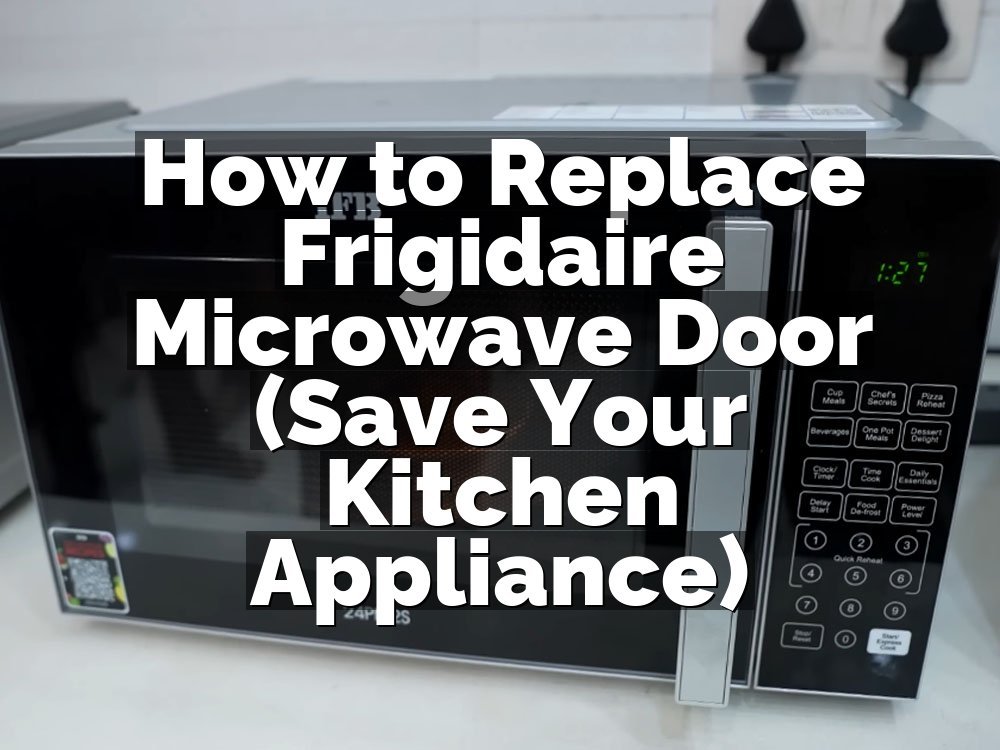
How to Replace Frigidaire Microwave Door Switch (Save Your Kitchen Appliance)
 ByZayyan

There is nothing worse than grabbing your coffee, hitting the start button, and hearing absolutely nothing happen. You press the door shut again, wiggle the latch, and still, the microwave just sits there. It feels like a total breakdown, but usually, it is just a tiny plastic piece behind the panel. I have fixed this exact issue on my own unit, and I promise you can do it too.
You need to unplug the unit before you touch a single screw. Once the power is off, remove the top vent cover and the side control panel. The switches are right there inside the door assembly. You just need a screwdriver and a replacement part that matches your model number exactly. Take a photo of the wires before you pull them off so you know exactly where they go later.
Why Your Microwave Stopped Responding to Your Commands
Most people think their appliance died, but usually, the door latch just stopped triggering the sensors. If the machine cannot sense that the door is closed, it will not run.
The Door Latch Assembly
The latch is the mechanical part that hooks into the frame. It holds the door tight so the microwave works safely. When you close the door, the plastic hooks push against the switches inside. If these hooks snap or get loose, the switches stay in the off position. You will notice the light might stay on or the display stays blank.
The Safety Interlock Switch
This is the heart of your door system. It is a tiny box with a small button that clicks when the door closes. If that button gets stuck, the microwave assumes the door is open. I once had a switch fail because a tiny piece of plastic from a frozen meal container jammed the mechanism. Check for debris before you buy parts.
The Blown Thermal Fuse
Sometimes the issue is not the switch itself. If the microwave detects a heat surge, a fuse will snap to protect the house. This stops all power from reaching the main board. It is a cheap fix, but you have to pull the whole outer shell off to reach it. Always check the switches first because they are way easier.
Worn Metal Springs
Inside the door latch, there are springs that keep tension on the hooks. Over years of use, they lose their bounce. If the hooks do not snap back into place, the switches do not get pushed. You can tell if this is the problem by manually pushing the latch and listening for a firm click from the door area.
Loose Wire Connections
Appliances vibrate a lot during cooking cycles. These vibrations can cause the spade connectors on the back of the switches to wiggle loose. When they lose contact, the circuit breaks. I fixed a unit once just by pulling the panel off and pushing a wire back onto its terminal. It was a five-second job that saved me an afternoon.
Faulty Control Board Relay
If you hear the machine click but nothing spins, the problem is likely on the main board. The switch sends a signal to the board, but if the board is fried, it ignores the signal. This is rare compared to a broken switch. Test your door sensors with a multimeter first to see if they are actually sending power.
Replacing a switch is a common task, and you can finish it in an hour.
- Unplug the power cord.
- Remove the mounting screws.
- Check the latch hooks.
- Test the switch continuity.
- Snap the new part in.
- Reconnect the wire harness.
Simple Steps to Replace a Frigidaire Microwave Door Switch
You do not need to be an electrician to handle this. Most home repairs are just about taking your time and keeping your screws organized as you work through the panel.
Gain Access to the Switch Area
Start by removing the screws on the top grille. This panel hides the main bolts for the control console. Once that is loose, slide it to the side to unhook it from the frame. You will see the wires running to the door switches behind the main console. Be careful with these wires as they are thin.
Take your time pulling the console away from the frame. Sometimes it sticks because of old grease or dust buildup around the edges. Clean the area with a dry cloth as you go so you have a clear view. If you feel resistance, stop and check for hidden screws near the hinge or the bottom frame.
Never force the plastic parts or they will crack. These housings are brittle from years of heat cycles in the kitchen. Use a magnetic screwdriver so you do not drop screws into the deep, dark guts of the microwave. If you lose a screw, the whole machine will rattle forever when the fan runs.
Identify the Failed Component
Look for three switches stacked near the latch. Usually, the middle one is the culprit for door issues. Press the latch manually and watch how the plastic tabs engage the switches. You should hear a distinct click from each one. If one feels mushy or does not click, that is definitely the bad one.
Test the switch by pressing it with your finger while you hold a multimeter to the terminals. Set your meter to the continuity setting. If the needle does not jump when you press the button, the internal spring is broken. You have found your bad part. It is time to order a new one.
Make sure you write down the part number printed on the side of the switch. Frigidaire uses different suppliers for different years. Buying a switch that looks similar is a huge mistake. It must be the exact model or the spacing will be wrong and the door will not lock.
Prepare the New Switch for Installation
Take the new switch out of the bag and compare it to the old one. The tabs and the button length must be identical. If the button is too short, the door will never trigger it. If it is too long, the door might not close properly or the switch could break immediately.
Clean the plastic mounting bracket with some rubbing alcohol. Old grease often pools in these corners and can cause the new switch to stick over time. A clean surface ensures the switch sits perfectly flat. This prevents any alignment issues that would force you to take the whole thing apart again next month.
Bend the small spade connectors just a tiny bit if they feel loose. A tight connection is important for the electrical flow. If the connection is loose, it will spark and burn out the new switch in a few weeks. A pair of needle-nose pliers works great for this, but use a gentle hand.
Connect the Wires Carefully
Slide the wire connectors onto the new switch terminals one by one. Do not pull all the wires off at once unless you have labeled them. It is very easy to mix up the common and normally closed terminals. If you wire it backwards, the microwave might blow a fuse the moment you close the door.
Make sure the wire clip clicks into place on the metal tab. If it slides on too easily, pull it off and tighten the clip with your pliers. A loose connection here will lead to arcing. You can actually smell that burning plastic odor if the connection is not solid, so make it tight.
Double-check your photo to ensure the wire colors match the original layout. It is easy to flip them in the heat of the moment. If you are unsure, check the wiring diagram printed on the inside of the microwave frame. It is usually a small paper sticker hidden behind the control panel.
Test the Latch Alignment
Before you screw the console back on, test the door latch mechanism. Close the door firmly and check that the hooks engage the switches fully. You should hear a solid, mechanical click from all three switches. If you hear nothing, the latch might be slightly bent or out of alignment.
Adjust the latch assembly if you need to. There are usually tiny screws that allow for a few millimeters of movement. This is critical for the door to seal safely. If the seal is not perfect, microwave energy can leak out. You should always trust your ears here. It should sound like a solid, well-built door.
Do not be afraid to open and close the door ten times. You want to see that the switches are being pressed reliably every single time. If it catches or feels stiff, loosen the screws and shift the assembly slightly. This simple adjustment ensures your repair lasts for many years of heavy use.
Reassemble the Outer Console
Slide the console back into place. Align the tabs on the bottom of the control panel with the slots in the microwave frame. Push it gently until it sits flush against the metal. It should look exactly like it did before you started. Do not tighten the screws all the way until every one is started.
Once all the screws are in their holes, tighten them snugly. Do not over-tighten them or you will strip the thin metal threads. A firm turn is enough. Check that the display panel is not bowing or pulling away from the frame. If it looks uneven, loosen the screws and try to center it better.
Finally, put the top vent grille back on. This piece usually snaps into place with plastic clips before you secure it with the top screws. If it feels loose, check that the tabs are fully engaged. A rattling microwave is a sign of a bad install. Make sure everything is tight and quiet.
- Unplug the unit first.
- Take photos of wires.
- Verify the part number.
- Clean the mounting area.
- Test for clear clicks.
- Reassemble with care.
Taking the time to verify your wire connections is the most important part of this whole job. If you rush, you might end up with a fuse that blows the second you plug the power cord back in. Just go slow and check your work twice.
How Do I Know If a Switch is Truly Broken
Most people think a microwave is dead because it will not start, but the door switch is the most common failure point. I usually check the door latch first. If the door feels loose or the latch does not snap into the frame, the switches are not being triggered. You can actually see the switches if you remove the side panel.
If the display light is on, the power is reaching the board, so the main fuse is fine. The door switch is the next place to look. If you press the door and it still does not start, the switch is likely stuck in the open position. You can test this with a basic multimeter in about two minutes total.
Sometimes the plastic lever that hits the switch breaks. This makes the switch look fine, but it never gets pushed when the door closes. Always look for broken plastic bits inside the latch cavity. If you find a piece of plastic, you know the switch is probably still good but the actuator is destroyed.
Testing the switch with a multimeter is the gold standard for knowing for sure. You set it to continuity and press the button. If the meter beeps, it works. If it stays silent, the switch is dead. It is a simple tool that removes all the guesswork from your repair, and I highly recommend you use one.
- Check for a loose door.
- Inspect the latch hooks.
- Look for plastic debris.
- Listen for a click.
- Test with a multimeter.
- Compare with the manual.
Is It Safe to Work on a Microwave
Working on a microwave is safe if you respect the power. The biggest danger is the high-voltage capacitor. This part stores a massive electric charge even when the unit is unplugged. I always leave the microwave unplugged for at least twenty-four hours before I open the main chassis. This gives the capacitor time to bleed off the energy.
Never touch the large metal capacitor or the transformer. You do not need to go near those parts to change a door switch. The switches are tucked away on the side, safely separated from the high-voltage components. Just stay in the control panel area and you will be perfectly fine. It is a very routine repair for most people.
I remember the first time I opened a microwave, I was nervous about the capacitor. I wore rubber gloves just in case, though it was likely not needed if I stayed away from the guts. Once I saw how simple the switch area was, that fear went away. Just be smart and keep your hands off the shiny metal parts.
Always keep one hand in your pocket when you are working on electronics. This is an old trick that prevents a circuit from passing through your heart if you happen to touch a live wire. While you should not have any live power, it is a great habit to build. Keep your workspace clean and you will have no issues.
- Keep the unit unplugged.
- Wait twenty-four hours.
- Avoid the capacitor.
- Stay near the panel.
- Use insulated tools.
- Keep one hand pocketed.
How Long Do Microwave Switches Typically Last
Most microwave switches are rated for a high number of cycles, but they are still mechanical parts that wear out. If you use your microwave ten times a day, those switches are clicking thousands of times per year. Eventually, the internal spring gets weak and the contacts inside the switch start to pit or corrode from tiny sparks.
I have seen Frigidaire units last ten years before a switch fails. Other people hit that wall in three years because they slam the door hard every time they close it. Slamming the door puts extra stress on the plastic latch and the switch itself. If you close the door gently, you might never have to replace these parts at all.
You can often tell when a switch is getting old. It might take two or three tries to get the microwave to start. That is a sign the contact points are worn down. Do not ignore this. It will eventually stop working while you are heating up a bowl of soup, and that is never a fun situation to manage.
If you are replacing a switch, use an original manufacturer part if possible. The generic ones are okay, but the authentic parts usually have better springs and tighter tolerances. I always check the price difference. It is usually only a few dollars, and it makes the machine feel like new again.
- Consider usage frequency.
- Watch for intermittent starts.
- Avoid slamming the door.
- Check for contact corrosion.
- Buy genuine replacement parts.
- Clean the latch area.
Can I Use a Generic Switch Instead of the Original
You can use a generic switch, but you have to be very careful with the specs. The most important things are the physical size and the electrical rating. If the amperage rating is too low, the switch will overheat and melt. This is a fire hazard you do not want in your kitchen. I always prefer the official part.
Many generic switches claim to be universal, but they often have different lever lengths or mounting holes. A switch that does not fit perfectly will cause the door to not seal correctly. This can cause the microwave to stop working immediately after you install it. You end up having to buy the right part anyway, so why bother with the risk.
Actually, let me back up a second. Sometimes the part is discontinued. If you cannot find an original Frigidaire switch, look for the manufacturer name on the side of the original part. You can often find the same switch sold by the original manufacturer for half the price of the branded one. It is the same part without the markup.
Just make sure you check the pin configuration. Some switches have two pins and some have three. You cannot swap these out blindly. If your original switch has three pins, you need a replacement with three pins. The schematic on the switch side will show you exactly which type you have. It is very straightforward if you just look.
- Check electrical ratings.
- Match the pin count.
- Verify physical dimensions.
- Read the switch label.
- Avoid “universal” claims.
- Stick to quality brands.
Final Thoughts
I hope this helps you get your kitchen back in order. It is frustrating when a simple machine stops working, but replacing the door switch is a great way to save money instead of buying a new unit. Just take your time, keep your screws organized, and do not rush the wiring. You will be back to heating up your leftovers in no time. Good luck with the repair.
| Part Name | Function | Replacement Difficulty |
|---|---|---|
| Door Switch | Signals Door Status | Low |
| Latch Hook | Secures Door | Low |
| Thermal Fuse | Safety Cutoff | Medium |
| Main Control Board | Processes Commands | High |
| Door Spring | Provides Tension | Medium |
| Spade Connector | Electrical Contact | Low |
| Outer Vent Cover | Aesthetic Access | Low |
| Side Control Panel | Electronics Housing | Medium |
| Multimeter | Testing Continuity | Low |
| Phillips Screwdriver | Basic Tool | Low |
Frequently Asked Questions
Is It Necessary to Replace All Switches at Once
It is not necessary, but it is often smart to do so. If one switch is failing, the others have likely endured the same amount of mechanical wear. Replacing all of them at once saves you from having to open the microwave again in six months when the next one fails.
Can a Microwave Be Dangerous If the Door Switch is Broken
Yes, a broken door switch can be dangerous. If the switch fails in a closed position, the microwave might try to run with the door open. This is why the safety interlock system is designed to stop the machine immediately if the door signal is not correct. Never try to bypass these switches.
Are There Different Types of Door Switches
Yes, there are several types. Some are normally open, while others are normally closed. They also come in different physical sizes and have different electrical current ratings. You must match your new switch exactly to the specifications of the one you removed. Check the part number printed on the switch housing.
Do I Need Specialized Tools to Fix This
You only need a standard Phillips screwdriver and a pair of needle-nose pliers. A multimeter is very useful for testing the switch, but it is not strictly required if you already know the switch is broken. Keeping a magnetic screwdriver handy is helpful so you do not drop screws into the microwave.
Does the Microwave Need to Be Unplugged
You must unplug the microwave before you start. This is the only way to avoid the risk of electric shock. Even with the power cord removed, wait at least twenty-four hours to let the high-voltage capacitor bleed off its remaining charge. Safety is the most important part of any repair project.
Will the Microwave Still Run If the Switch is Not Plugged In
No, the microwave will not run if the switch is not plugged in. The control board needs a complete signal from the switch to confirm the door is closed and safe. If the circuit is open or disconnected, the board will prevent the magnetron from turning on to protect the appliance.
How Do I Find the Correct Part Number for My Microwave
Look for the model number tag, which is usually located on the inside frame of the door or the back of the unit. You can search that model number on a reputable appliance parts website. They will show you an exploded view diagram of your microwave to help you find the exact switch.
Should I Call a Pro If I Am Not Confident
If you feel overwhelmed at any point, call a professional. Working with electricity is not worth the risk if you are not comfortable. A technician can usually swap a switch quickly, and you will have peace of mind knowing the safety systems are working exactly as they should be.